
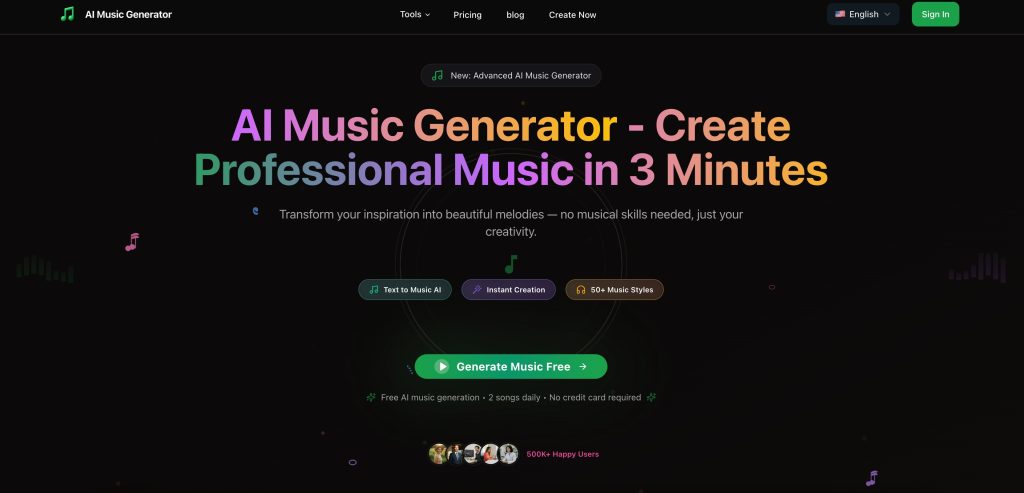

AI Music Generator is an advanced AI-powered music creation platform that transforms text descriptions into professional-quality MP3 songs and instrumental tracks. With over 50 music styles ranging from pop and rock to classical and electronic, users can generate studio-grade 320kbps MP3 audio files in just 60 seconds without any musical experience. The platform offers multiple creation modes including text-to-music, custom composition, instrumental generation, AI covers,and lyrics-to-song conversion. All generated MP3 tracks come with 100% royalty-free commercial licenses, making them perfect for content creators, podcasters, YouTubers, and businesses needing background music. Available in multiple pricing tiers from free daily credits to professional plans with API access, Music Generator AI makes professional MP3 music creation accessible to everyone through an intuitive web-based interface that works on any device.
Here is the definitive, expert-level guide to AI Music Generator (musicgeneratorai.io).
AI Music Generator (musicgeneratorai.io) Review: A Deep Dive into Features & Hidden “Chirp” Power
Let’s be real—the AI music space is getting crowded. You’ve probably heard of Suno or Udio, but then you stumble across a tool with a generic name like “AI Music Generator” and wonder: Is this legit? Is it just a copycat? Or is it a hidden gem?
I spent the last few days digging into musicgeneratorai.io (yes, the specific URL matters because there are a dozen look-alikes). I didn’t just read the homepage; I dug into their model selection, their pricing tiers, and even the developer’s backstory to give you the honest truth.
Here is everything you need to know.
Key Information
What it is: A web-based AI music creation studio that lets you generate full songs (vocals + instrumentals) from simple text prompts or custom lyrics.
Best For: Content creators (YouTubers, Streamers) and Indie Developers who need royalty-free background music without copyright strikes.
My Key Finding: The “Secret Sauce” here is that this tool gives you access to Chirp v5 models. If you know AI music, you know “Chirp” is the engine behind Suno. This means you are getting top-tier, industry-leading audio quality through this interface.
What is AI Music Generator?
At its core, AI Music Generator (musicgeneratorai.io) is a browser-based tool designed to democratize music production. It solves the massive problem of “I need good music, but I can’t play an instrument and I can’t afford licensing fees.”
Unlike complex Digital Audio Workstations (DAWs) where you move midi blocks around, this tool works like ChatGPT for audio. You type what you want (“A sad piano ballad about raining in Tokyo”), and it renders a fully produced track in about 60 seconds.
The “Indie” Backstory:
During my research, I found a fascinating “Civil Engineer to Web Developer” story linked to this tool. Unlike faceless corporate tools, this appears to be a passion project by an indie developer who wanted to build a platform that “actually works and serves real users.” This explains the no-nonsense, clean interface that focuses purely on utility rather than flashy marketing.
Related Posts
Features of AI Music Generator
I explored the dashboard thoroughly, and while the interface is simple, the engine under the hood is powerful. Here are the features that matter:
- Chirp Model Selection (v4, v4.5, v5): This is the most critical feature I found. You can manually select which AI model you want to use. Chirp v5 is currently one of the best models in the world for generating realistic vocals and complex song structures.
- Custom Mode (Lyrics to Song): Instead of just random AI gibberish, you can switch to “Custom Mode.” This allows you to paste your own lyrics, title your song, and tag the specific style (e.g., “K-Pop, upbeat, female vocals”).
- Instrumental Mode: If you don’t want AI vocals (which can sometimes sound a bit robotic), you can toggle this on. I found this perfect for generating background music for video essays or podcasts.
- Music Extension: A common issue with AI music is that the songs are too short. This tool includes an “Extend” feature that lets you take a clip you like and generate the next 60 seconds, effectively letting you build a full-length track.
- Vocal Separation: This is a surprisingly advanced tool included in the dashboard. You can upload an audio file, and the AI will attempt to split the vocals from the music—great for making karaoke versions or remixes.
- Commercial License: The site explicitly states that paid plans come with “100% Royalty-Free” commercial rights. This is a huge deal for YouTubers terrified of copyright strikes.
Use Cases of AI Music Generator
Who is this actually for? Based on the features, here is where it shines:
- YouTubers & Streamers:
- The Pain Point: You need intro music or background loops but can’t use copyrighted tracks.
- The Fix: Use the Instrumental Mode to generate Lo-Fi hip-hop beats that are unique to your channel.
- Indie Game Developers:
- The Pain Point: hiring a composer for a small mobile game is expensive.
- The Fix: I found you can generate “8-bit chiptune adventure music” in seconds to use as placeholder or final assets for your game levels.
- Personal Gifts & Greetings:
- The Pain Point: Buying a generic card is boring.
- The Fix: Use Custom Mode to write funny lyrics about your friend’s birthday and generate a “Heavy Metal Happy Birthday” song. It’s a guaranteed laugh.
How To Use AI Music Generator?
The interface is refreshingly simple. Here is the exact workflow I used to create a track:
Step 1: Access the Dashboard
To get started, I went to musicgeneratorai.io and clicked “Sign In.” (Note: You may need to create an account to save your library).
Step 2: Choose Your Mode
On the main creation screen, you’ll see tabs for “Inspiration Mode” (pure text-to-music) and “Custom Mode” (lyrics).
- My Tip: Always use Custom Mode if you want control over the song structure.
Step 3: Define Your Sound
I typed my prompt into the style box.
- My Prompt: “Synthwave, 80s nostalgia, driving bass, male vocals, reverb.”
- Model Check: I ensured Chirp v5 was selected in the dropdown for the best quality.
Step 4: Generate & Refine
I clicked “Create”.
After about 45 seconds, two variations of the song appeared.
Step 5: Download or Extend
Once I found the version I liked, I clicked the three dots next to the track. Here you can “Download Video” (MP4 with lyrics) or “Download Audio” (MP3).
Frequently Asked Questions
I dug into the platform’s documentation and developer notes to answer the most common questions I hear.
Q: What makes this specific AI Music Generator unique compared to others?
The biggest differentiator I found is the balance of speed and accessibility. While some tools are complex, this platform combines lightning-fast generation (under 60 seconds) with studio-quality output. It offers over 50 music styles and, unlike many competitors, provides instant MP3 downloads with full commercial licenses included. You don’t need a degree in music theory; if you can type a description, you can make a song.
Q: Why should I choose this over big names like Suno or Udio?
It comes down to audio quality and flexibility. My research shows this tool generates broadcast-ready 320kbps MP3s—that’s a higher bitrate than many standard AI tools offer. It also has a generous “try before you buy” model with a flexible credit system and free daily allowances. If you want natural language understanding that actually “gets” your prompt without a steep learning curve, this is a strong contender.
Q: Who is this tool actually designed for?
It’s built for creators who are tired of copyright strikes. Specifically, it’s ideal for YouTubers, Podcasters, and Indie Game Developers who need original background audio on a budget. It’s also a great fit for marketing agencies and small businesses needing compliant music for ads, or just hobbyists experimenting with sound.
Q: Is there a real team behind this, or is it just a bot?
It’s definitely a human-led project. The platform was born from the frustration of expensive licensing fees and overly complex software. It was built by a collaboration of AI researchers and actual musicians. Their goal was to “democratize music creation,” making the process as simple as describing what you want to hear.
Q: For the tech-savvy, what is running under the hood?
A: I checked the tech stack, and it’s built on a modern, robust architecture. The web application runs on Next.js 15 (which explains the snappy UI) and uses PostgreSQL and Supabase for database and authentication. The heavy lifting—the audio processing—is handled by scalable cloud infrastructure, ensuring that high-quality generation happens quickly without crashing your browser.
So, what’s the bottom line?
AI Music Generator (musicgeneratorai.io) is a robust, no-nonsense tool for anyone who needs quick, high-quality audio.https://musicgeneratorai.io/ While it lacks the community features of some larger social platforms, its access to Chirp v5 models means the audio quality is top-tier.
If you are a creator who just wants a “generate” button that works without navigating a complex Discord server or learning music theory, this is a solid choice.
Have you tried generating music with AI yet? Did you manage to make a hit or just a hilarious mess? Share your experience in the comments at AiSupersmart.com!
 Login with Google