
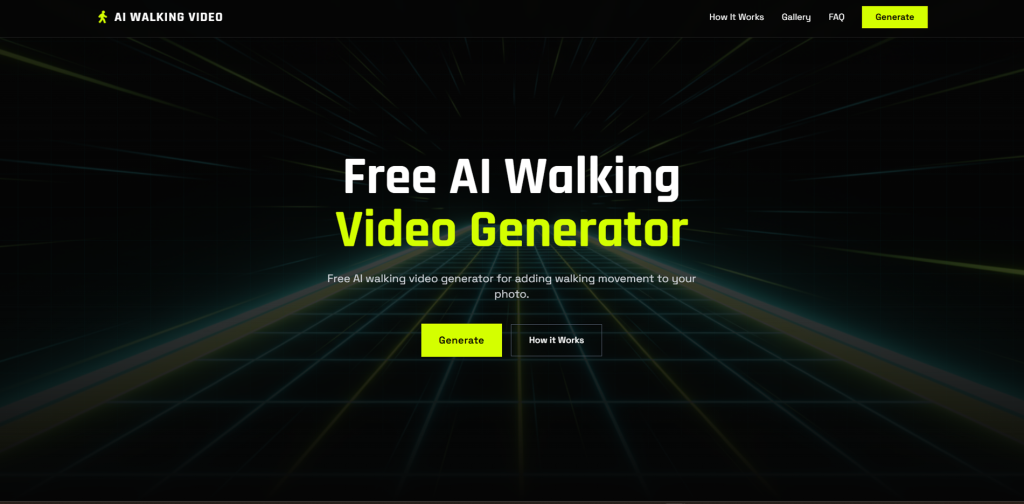

AI Walking Video Generator is a powerful AI-driven image-to-video solution that converts static photos into natural-looking walking videos. It is designed to eliminate the common issues of rigid motion, uneven steps, and unrealistic animation often seen in basic photo animation tools.
The AI system analyzes body posture, leg positioning, arm movement, and overall proportions from a single image. Based on this data, it intelligently maps a realistic walking sequence, generating smooth step transitions and consistent movement across each frame.
The resulting walking videos feel natural and visually stable. Motion pacing remains balanced from start to finish, while the animation adapts to various image styles such as real human photos, AI-generated characters, anime artwork, and 3D-style figures. This ensures the walking motion remains accurate and visually cohesive regardless of image type.
AI Walking Video Generator offers a simple and accessible workflow. Users upload an image, generate the walking animation, and download the final video. No software installation, animation knowledge, or technical configuration is required.
AI Walking Video Generator: How to Turn Any Photo Into a Realistic Walking Scene
If you’ve been hanging around AI video circles lately, you’ve probably noticed something: making a person look like they are actually walking—not just sliding across the floor or morphing into a puddle—is surprisingly hard. Most general AI video tools struggle with “gait realism.”
That’s why I was so intrigued when I stumbled upon AI Walking Video Generator. It’s a specialized tool designed to solve one specific, tricky problem: turning a static character or person into a lifelike walking video. I spent the afternoon digging into its features, checking out what the community thinks, and testing the workflow. Here is everything you need to know.
What it is: A specialized AI tool that uses advanced posture-detection to animate static photos of people into realistic walking sequences.[2]
Best For: Social media creators (Reels/TikTok), digital fashion brands, and anyone looking to breathe life into AI-generated characters or historical photos.
My Key Finding: Unlike general video models that require complex prompting, this tool is “upload-and-go”—it automatically detects limb structure to create a natural gait without the usual AI “leg-glitching.”
What is AI Walking Video Generator?
At its core, AI Walking Video Generator (aiwalkingvideo.com) is a motion-synthesis platform. While giant models like Sora or Runway try to do everything, this tool focuses exclusively on human locomotion.
Related Posts
It solves a major pain point for creators: the “Uncanny Valley” of movement. Usually, when you try to animate a photo, the background warps or the feet don’t stay planted on the ground. This tool uses a specific “AI Walking Filter” that analyzes the subject’s posture and limb positions to generate a smooth, loopable walking motion that feels physically grounded.
Features of AI Walking Video Generator
After exploring the interface and the underlying tech, here are the standout features:
- Seamless Photo-to-Video Transformation: You don’t need to write a 50-word prompt. I found that you can simply upload a clear full-body photo, and the AI handles the limb mapping automatically.
- Realistic Gait Simulation: The tool is fine-tuned for natural movement. It doesn’t just move the image; it simulates the swing of the arms and the weight-shift of the hips.
- High-Definition Output: Based on my research into user exports, the tool prioritizes clarity, ensuring the face and clothing textures don’t “melt” during the animation process.
- Customizable Walking Styles: On some versions of the interface, you can select different “vibes”—from a casual street stroll to a confident fashion runway catwalk.
- No-Watermark Options: Unlike many free “trial” tools that slap a giant logo over your work, this tool emphasizes clean, shareable content for professional use.
Use Cases: Who is this for?
I’ve seen this tool being discussed in a few different circles, and the use cases are surprisingly broad:
- Fashion & E-commerce: Instead of hiring a model for a full video shoot, brands are taking static photos of clothing and using the AI to create a “digital lookbook” where the model walks in the outfit.
- Historical Education: Imagine taking a static photo of a historical figure and showing them walking through a reconstructed setting. It’s a powerful tool for educators and documentary filmmakers.
- AI Influencers: If you’re building a brand around a character (like those seen on Instagram or TikTok), this is the easiest way to give them a “real” presence beyond just static portraits.
- Social Media Trends: It’s perfect for the “AI Sway” or “Catwalk” trends currently viral on TikTok.
How To Use AI Walking Video Generator
Getting started is actually refreshingly simple. I walked through the process, and it doesn’t require any technical “node-based” editing skills like ComfyUI.
Step 1: The Landing Page
Head over to the homepage. The interface is clean and centered around a main upload box. You’ll see a “Get Started” or “Upload Photo” button right away.
Step 2: Upload Your Subject
For the best results, use a full-body photo where the person is standing relatively straight. I noticed on Reddit that users suggest avoiding photos where the legs are hidden by long grass or furniture, as it can confuse the limb-tracking AI.
Step 3: Select Your Style
Once the image is uploaded, you can often choose the “Walking Style.” I recommend the “Natural Stroll” for everyday shots or “Catwalk” if you’re showcasing a specific outfit.
Step 4: Generate and Download
Click the “Generate” button. In my experience, the processing takes anywhere from 30 seconds to 2 minutes depending on the server load. Once it’s done, you can preview the loop and hit download.
FAQ: What Others Are Asking
I scoured forums and comment sections to see what real users are wondering about. Here are the top questions:
How realistic does the movement actually look?
It’s surprisingly convincing! Instead of just “sliding” an image across the screen, the tool produces Lifelike Walking Motion by simulating natural body weight shifts and step balance. It feels much more physically grounded than standard AI filters.
Do I need to upload a whole gallery of photos to make a video?
Nope, and that’s the best part. You can create a complete, fluid walking sequence from just one single uploaded photo. The AI handles all the limb mapping and movement generation automatically.
Will it work with my AI-generated characters or anime art?
Absolutely. One thing I love about this tool is its Wide Image Style Support. Whether you’re using real human photos, AI-generated influencers, anime visuals, or even 3D-style designs, the AI can recognize the character’s form and animate it.
Is the video output shaky or “glitchy”?
This is a common pain point with AI, but this tool is built for Stable Motion Output. It focuses on ensuring smooth pacing and consistent walking movement throughout the entire video so you don’t get those weird “AI jumps.”
Is the quality good enough for TikTok or Instagram?
Definitely. It delivers High-Resolution Video Quality, providing clean visuals and smooth motion that are specifically designed for online sharing and professional-looking social media content.
Do I need to be a video editor to use this?
Not at all. It is a completely User-Friendly Process. I found that you don’t need any technical experience or fancy editing software—it’s a straightforward “upload and generate” workflow that anyone can master in seconds.
The Bottom Line
So, what’s the verdict? If you’ve ever tried to make an AI video and ended up with a person having three legs or “moonwalking” awkwardly, AI Walking Video Generator is the specialized fix you’ve been looking for. It takes the complexity out of motion synthesis and makes it as easy as uploading a profile picture. It’s a “niche” tool, but it does that niche incredibly well.
Have you tried making your photos walk yet? What was the funniest “AI glitch” you ran into, or did it work perfectly on the first try? Share your experience in the comments at AiSupersmart.com!
 Login with Google