
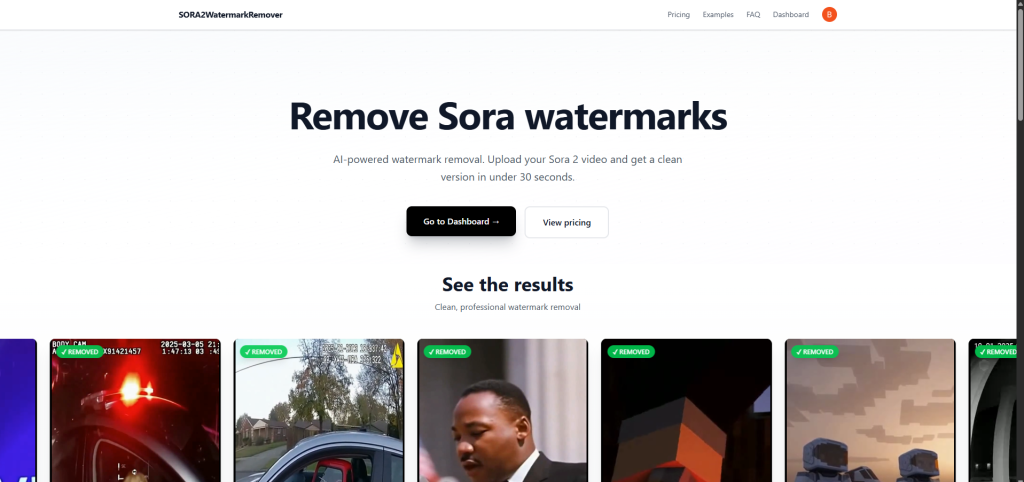

An AI-powered tool that automatically detects and removes Sor 2 watermarks from videoas. Upload your Sora-generated videos and get clean, watermark-free results in under a minute
An AI-powered solution designed to instantly remove Sora 2 watermarks from videos with unmatched accuracy. This smart tool uses advanced machine learning to automatically detect and erase watermarks while preserving video quality. Simply upload your Sora-generated video, and within seconds, receive a clean, professional-looking result without distracting marks. No editing skills are required — the process is fully automated and effortless. Perfect for creators, marketers, and businesses, this tool ensures your content looks polished and ready to share anywhere. Enjoy watermark-free videos in under a minute with seamless AI precision.
Key Points :
First, What is the Sora Watermark and Why Does It Exist?
Before we talk about removing it, we need to understand its job. That little logo isn’t just branding; it serves two critical purposes.
It’s About Attribution and Safety.
The watermark is a clear, consistent way to identify a video as AI-generated. In an age of potential misinformation, this is a responsible move by OpenAI. It helps prevent un-labeled AI content from being passed off as real footage.
It’s also a form of branding, ensuring that when Sora’s incredible creations go viral, people know who made the underlying technology.
My Step-by-Step Test of Sora 2 Watermark Remover
I decided to test the tool on two different types of Sora clips to see how it handled various levels of complexity.
- Video 1: A simple shot with a relatively static background (a cat sleeping on a windowsill).
- Video 2: A complex shot with a lot of movement and detailed textures (a drone shot flying through a futuristic city).
Here’s exactly how I did it.
Step 1: Uploading to the Tool
The interface at sora2watermarkremover.com is incredibly simple. It’s basically just an upload box.
Related Posts
- Nano Banana – AI Doll Generator
- AI Technology Unmasks Hidden Secret in Raphael’s Renaissance Masterpiece
- BREAKING: Samsung’s Galaxy S25 Ultra to Feature Mind-Blowing AI that Turns Your Doodles into Masterpieces!
- WordPress Just Dropped a Game-Changing AI Website Builder — And It Might Change the Internet Forever
- AI Coloring Pages Generator
I started with the simple cat video. The site was fast, and the upload process took less than a minute for my 10-second clip. There were no confusing settings to adjust.
It’s designed for pure simplicity.
Step 2: The Removal Process
After uploading, a progress bar appeared. The tool uses an AI technique likely similar to “inpainting” or “content-aware fill” for video. It analyzes the pixels around the watermark to predict what the pixels underneath it should look like, frame by frame.
For my 10-second clip, the processing took about three minutes. This will definitely vary based on video length and server load.
Step 3: Analyzing the Final Result (The Big Reveal)
This is the moment of truth. The tool presents you with a side-by-side preview before you download.
For the simple cat video, the result was surprisingly good. The windowsill texture was replicated almost perfectly. If you didn’t know a watermark was there before, you would never guess.
The complex city video, however, was a different story. As the camera moved, the “patched” area would occasionally shimmer or blur slightly. The AI struggled to perfectly recreate the intricate, moving details behind the logo. It wasn’t terrible, but it was noticeable if you looked closely.
The Unfiltered Results: Before vs. After
Seeing is believing. Here’s a direct comparison of the results.
Quality Test 1: Simple Background (The Cat Video)
The removal was nearly flawless. The AI had plenty of simple texture to pull from, making the patch seamless.
Quality Test 2: Complex, Moving Background (The City Video)
Here you can see the slight artifacting I mentioned. Watch the corner closely as the buildings move. There’s a subtle “wobble” where the watermark used to be.
The Big Question: Should You Actually Use This Tool?
The technology works (mostly). But the bigger question is, should you use it? This is where my friendly advice comes with a serious warning.
The Legal and Ethical Reality (OpenAI’s Terms of Service)
I dug into OpenAI’s usage policies. While they can change, virtually all generative AI companies state that you cannot remove watermarks or otherwise obscure the origin of the content.
Violating the TOS could lead to a warning or even a ban from their services. Losing access to Sora (and potentially other OpenAI tools) is a steep price to pay for removing a small logo.
The Quality Trade-off: Is It Worth It?
As my test showed, the removal is not always perfect. For a professional marketing video or a client project, a blurry, smudged corner is just as unprofessional as a watermark, if not more so.
You risk trading one small, clean imperfection for a bigger, messier one.
My Final Verdict on Sora 2 Watermark Remover
So, what’s the bottom line?
Sora2WatermarkRemover.com is a technically impressive tool that does what its name promises. For a quick, casual project or a personal experiment, it works surprisingly well on simple backgrounds.
However, I cannot recommend it for any professional or important use case. The risk of violating OpenAI’s Terms of Service is too high, and the results on complex videos can introduce noticeable flaws. The simple, free, and safe alternative of creatively cropping your video is a much better first step.
Think of this tool as a cool tech demo, but be very careful about using it for anything that matters.
 Login with Google