
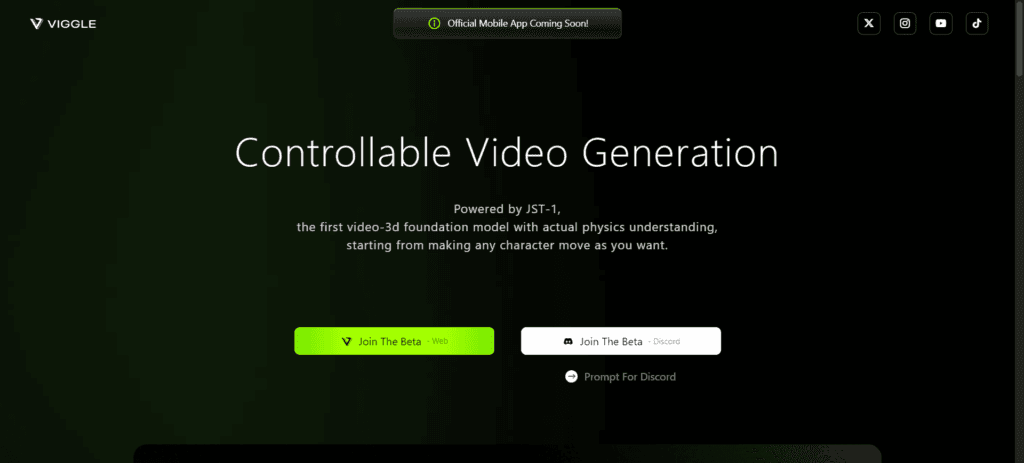

Hey there! Have you ever wondered how to animate your favorite characters or create stunning motion videos using just a few clicks? Well, let me introduce you to Viggle AI, an amazing tool that’s taking the creative world by storm. Whether you’re a budding animator, a marketer looking for engaging content, or just someone who loves playing around with cool tech, Viggle AI has got you covered. So, let’s dive in and explore everything you need to know about Viggle AI in this detailed guide!
What is Viggle AI?
Viggle AI is a revolutionary video-3D foundation model that leverages artificial intelligence to generate controllable video animations. Essentially, it allows you to bring your static characters to life by mixing character images with text prompts, creating motion videos that are both captivating and easy to produce. With Viggle AI, you can join a vibrant community of creators, share your work, and discover amazing content from others.
Features of Viggle AI
Alright, let’s get into the nitty-gritty. Viggle AI comes packed with a host of features that make it a go-to tool for animation enthusiasts:
- Controllable Video Generation: Create videos that you can control and customize to your liking.
- Mix Command (/mix): Blend a character image into a motion video effortlessly.
- Animate Command (/animate): Animate static characters using text motion prompts.
- Community Integration: Join a Discord server with over 4 million members to share and discover user-generated content.
- Enhanced Creativity: Integrate with other AI services to expand your creative possibilities.
Use Cases of Viggle AI
Now, you might be wondering, “How can I use Viggle AI?” Well, the possibilities are practically endless. Here are some fantastic use cases:
- Personal Entertainment: Create fun and engaging motion videos for your personal enjoyment.
- Storytelling: Animate static characters to bring your stories to life.
- Social Media Content: Develop eye-catching animated content for your social media platforms.
- Marketing and Advertising: Enhance your digital products or services with interactive animations.
- Educational Purposes: Animate educational content to make learning more engaging.
- Events and Exhibitions: Create interactive experiences for various events.
- Artistic Creations: Use AI-generated animations for artistic projects or design purposes.
How to Use Viggle AI
Getting started with Viggle AI is a breeze. Here’s a step-by-step guide on how to animate an image using Viggle AI:
- Join the Discord Server: Head over to Discord and search for the Viggle AI server. Once you find it, join the server by following their instructions.
- Find the Prompt Section (Optional): Explore the “prompts” section for pre-made text prompts that you can use for various actions or movements.
- Choose the Animation Channel: Look for channels named “animate” within the Discord server. These channels are dedicated to animating images using text prompts.
- Prepare Your Image: Get a clear, high-quality image of the character you want to animate. Make sure the image showcases the entire body for better animation results.
- Upload Your Image and Prompt: In the “animate” channel, follow the instructions for uploading your image. Use a pre-made prompt or write your own text prompt describing the desired animation.
- Set Background and Fine-Tune: Choose the background for your animation. “From template” keeps the original background, while “Green” or “White” provide colored backgrounds. You can also use the “fine-tune” option for better quality.
- Submit Your Request: Type the command to submit your request according to the channel’s instructions (often “/animate”). Viggle AI uses a queue system, so you might have to wait depending on server traffic.
Related Posts
How to Make Viral AI Joker Swap with Lil Yachty Walk Out
Creating a viral video with Viggle AI, such as replacing Lil Yachty with the Joker, involves a few simple steps:
- Accessing Viggle AI: Join the Viggle AI Discord server.
- Finding the Right Prompt: Look for the “animate” channels in the Discord server. You might find someone mentioning the “Lil Yachty stage entrance” prompt.
- Uploading Your Joker Image: Get a full-body image of the Joker you want to use. Upload your Joker image using the instructions in the Discord server.
- Setting the Background: In the prompt options, choose “from template” for the background to ensure the Joker replaces Lil Yachty while keeping the original background.
- Fine-Tuning (Optional): Use the “fine-tune” option if you prefer better quality, though it takes longer.
- Submitting the Request: Once you’ve uploaded the image and chosen the prompt and background options, submit your request.
How Does Viggle AI Work?
Viggle AI works by leveraging machine learning algorithms to generate video animations. Here’s a simplified breakdown of the process:
- User Input: You provide an image and a text prompt.
- AI Generation: The AI analyzes the input and creates a script and storyboard.
- Animation Creation: The AI animates the character based on the script and storyboard.
- Final Output: The final animated video is rendered and made available for download or sharing.
Viggle AI Free Alternative
Looking for a free alternative to Viggle AI? You might want to check out the fudan-generative-vision/champ on GitHub. It’s a locally installed tool that you can use for free to create animations, though it might require some technical know-how to get started.
Conclusion
Viggle AI is an incredible tool for anyone looking to create stunning animated videos with ease. Whether you’re a content creator, marketer, educator, or just someone who loves experimenting with new technology, Viggle AI offers a plethora of features to help you bring your ideas to life. By following the steps outlined in this guide, you’ll be well on your way to creating engaging and viral content. So, go ahead and give Viggle AI a try, and let your creativity soar!
 Login with Google