
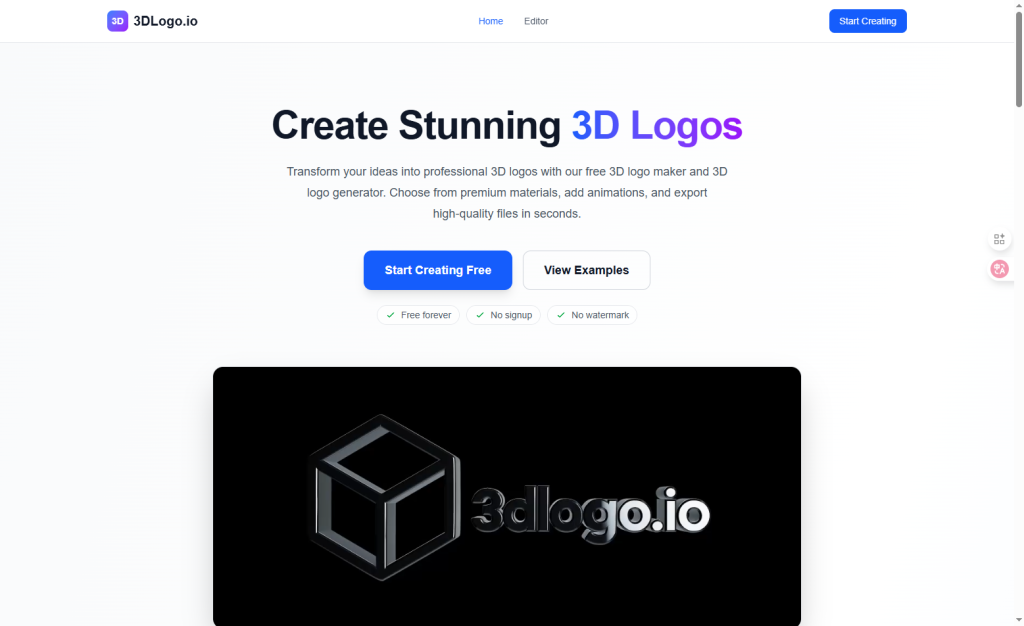

Transform your ideas into professional 3D logos with our free 3D logo maker and 3D logo generator. Choose from premium materials, add animations, and export high‑quality files in seconds.
Amazing tool! Created a professional logo for my startup in minutes. The chrome effect looks incredible.The best free 3D logo maker I’ve found. Export quality is excellent and the animation options are fantastic!So easy to use! No design experience needed. Created multiple variations for my brand in no time.
A 3D logo adds realistic depth, lighting, and materials to your brand mark so it stands out everywhere — from websites and YouTube banners to social media and product packaging. Using our professional 3D logo maker, you can convert simple text or an existing mark into a premium 3D logo in minutes without any design experience.
Our 3D logo maker and 3D logo generator are completely free to use. There are no hidden costs, subscriptions, or premium features. You can create unlimited 3D logos with all materials and export them without watermarks using our free 3D logo maker.
Key Points :
First Off, Why Bother with a 3D Logo (and Why Is It Usually So Hard)?
Let’s be real, a good 3D logo just hits different. It has depth, texture, and a premium feel that flat designs can sometimes lack. It suggests quality and modern tech.
The problem? Traditionally, making one is a huge pain. You need specialized software that costs a fortune and has an interface that looks like a space shuttle cockpit. It requires understanding things like 3D modeling, lighting rigs, texturing, and rendering. It’s a professional skill for a reason.
That’s the promise of a tool like 3dlogo.io: to give you the pro result without the pro-level headache. But does it deliver?
My Mission: Creating a Logo for “Pixel Potion Labs” with 3dlogo.io
To give this a fair shot, I needed a real-world test case. I invented a fake startup: “Pixel Potion Labs.” I imagined it as a small creative studio that experiments with digital art and animation.
Related Posts
The vibe I wanted for the logo was:
- Modern and techy
- A little bit playful
- Super high-quality and clean
With my mission clear, I jumped into the tool.
The 5-Step Process: From Text Prompt to Final Logo
The process was surprisingly straightforward. Here’s exactly how I did it.
Step 1: The Initial Prompt – Just Type What You Want
The homepage gets straight to the point. There’s one simple box: “Enter your logo text.” No confusing options, no sign-up required to get started. I typed in “Pixel Potion” and hit “Generate.”
Step 2: Choosing a Style – The Good, The Bad, and The Cheesy
Within seconds, the AI generated a grid of about a dozen different 3D logo concepts. My first reaction? “Whoa, okay!”
The variety was impressive. There were metallic styles, glossy plastics, neon effects, and even some wilder, more abstract designs. I’ll be honest, some were a bit cheesy—like something from a mid-2000s WordArt document. But many of them were genuinely great starting points.
I clicked on a few to see them in more detail before settling on a clean, chrome-style font that felt modern and fit the “Labs” theme.
Step 3: The Editor – Where the Real Magic (and Limitations) Are
This is where you go from a generic template to something that feels custom. The editor is simple but powerful.
- Customizing Text & Font: The first thing I did was add my second line of text, “Labs,” and change the font. There’s a decent selection of fonts, and you can adjust the size and spacing easily.
- Tweaking Colors & Materials: This was the fun part. You can change the material from “Chrome” to “Glossy,” “Matte,” or “Glass.” You can then pick any color you want. I played around with a deep purple but ended up sticking with a slightly tinted chrome for that premium feel.
- Adjusting Lighting & Angle: This is the most important part, IMO. You can drag a light source around your logo to change the highlights and shadows. You can also rotate the logo on any axis to find the perfect angle.
- Wait, Can I Upload My Own Icon? I got this question a lot when I mentioned I was testing this. The answer is no. You can add some basic shapes (like a circle or square) from their library, but you can’t upload your own custom SVG or icon. This is a key limitation to be aware of. 3dlogo.io is primarily for creating logos from text.
Step 4: My “Aha!” Moment – The Trick to Getting a Pro Look
At first, my logo looked pretty good, but it still felt a bit… default. It was sitting flat, facing the camera.
My “aha!” moment came when I started playing with the rotation and lighting together. I tilted the logo back slightly on the Y-axis to give it a more heroic, cinematic angle. Then, I moved the main light source to be high and to the left. This created a bright, sharp highlight on the top edges and a nice shadow, giving it instant depth and drama.
This is the trick. Don’t just accept the default settings. Spend two minutes dragging the light and rotation controls around. It makes all the difference.
Step 5: Downloading Your Files – What Do You Actually Get?
Once I was happy, I hit download. This is where you have to pay if you want the high-res, watermark-free files. I purchased the Premium package to see the final product.
The download comes as a .zip file containing everything you need:
- High-resolution PNGs (4000×4000 pixels)
- Multiple angles of your logo
- Crucially, versions with a transparent background
- An SVG file (a vector version) of the 2D logo text, which is great for versatility.
Let’s Talk About a Big Deal: Pricing & Commercial Use
This is where the rubber meets the road. A cool tool is useless if the pricing is shady or you can’t use the logo for your business.
Is 3dlogo.io Free?
Yes and no. You can generate and edit logos completely for free. But the free download is a low-resolution PNG with a watermark. It’s great for previewing your work, but you can’t actually use it for anything serious.
The Premium Plan: Is It Worth It?
To get the useful files, you need the Premium Logo Package. When I bought it, it was a one-time payment of $29.
For that price, you get:
- High-resolution files
- Transparent backgrounds
- Multiple camera angles
- Full commercial usage rights
- Lifetime access to edit your logo
Considering a logo designer on Fiverr can cost anywhere from $50 to $500+, getting all of this for under $30 is, frankly, a fantastic deal for the right person.
Can You Use These Logos for Your Business?
Yes. The premium package explicitly includes a full commercial license. This means you can use it for your website, social media, merchandise, business cards—anything you want. This is a huge plus and removes any legal gray areas.
My Honest Verdict: Who is 3dlogo.io ACTUALLY For?
After running through the whole process, I have a very clear idea of who this tool is perfect for, and who should probably look elsewhere.
Who It’s Perfect For…
- Early-Stage Startups & Solopreneurs: If you need a professional-looking logo right now and are working on a tight budget, this is perfect.
- YouTubers & Content Creators: Great for channel branding, video watermarks, or merch designs.
- Internal Projects & Presentations: Need to make a presentation slide pop or brand an internal tool? This is a super-fast way to do it.
- Anyone who needs a great text-based logo without the fuss.
Who Should Probably Skip It…
- Established Brands: If you’re a large company with a specific brand identity, you need a full design system, not just a single logo asset.
- Anyone Needing a Custom Icon: If your logo idea revolves around a specific symbol or mascot, this tool’s limitations will frustrate you. You’d be better off with a human designer.
So, What’s the Bottom Line?
I went in skeptical and came out genuinely impressed. 3dlogo.io delivers on its core promise: it lets you create a clean, professional, and high-quality 3D logo in minutes, with zero design experience.
It’s not a replacement for a talented brand designer who can build you a whole identity system. But for the specific task of generating a beautiful, text-centric 3D logo quickly and affordably, it’s an absolutely brilliant tool. My “Pixel Potion Labs” logo looks fantastic, and I’d feel confident using it on a real project. 🙂
Have you tried any AI logo generators? I’d love to hear about your experience. Drop a comment below and let me know what you’ve created
 Login with Google