
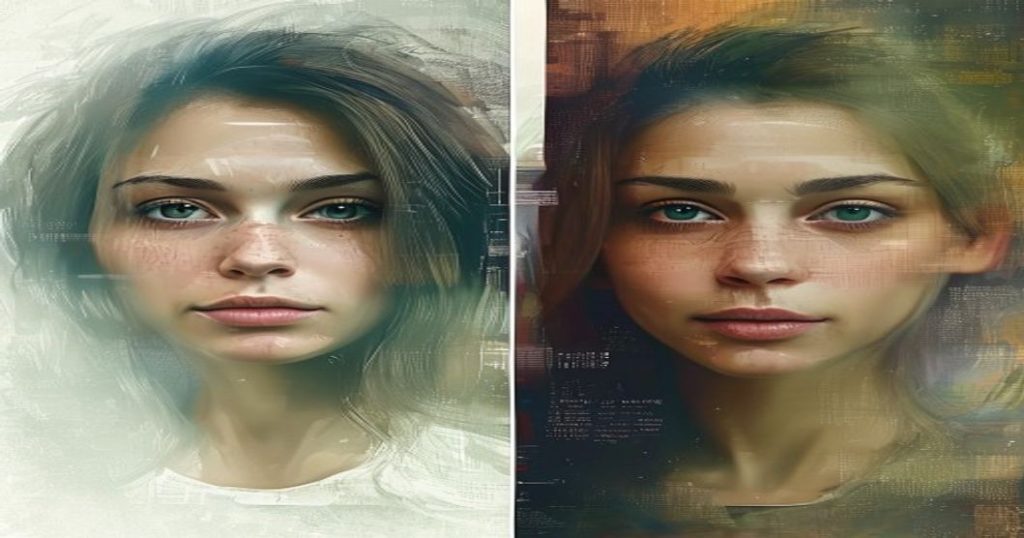
Blurry, pixelated, or tiny photos are frustrating — but AI can fix them in seconds. A good free AI image upscaler enlarges your picture and adds realistic detail, turning low-resolution images into crisp, high-quality ones without expensive software. Whether you’re rescuing an old photo, sharpening a product shot, or enlarging AI art, here are the best free AI image upscalers in 2026 and how to get the cleanest results.
Best Free AI Image Upscalers at a Glance (2026)
| Tool | Best For | Free? | Install? |
|---|---|---|---|
| Upscayl | Unlimited free upscaling | Yes (open-source) | Desktop |
| Let’s Enhance | Photo quality boost | Free credits | Web |
| Fotor | Quick online edits | Free + premium | Web |
| Bigjpg | Anime & art | Free tier | Web |
| ImgUpscaler | Fast batch upscaling | Free tier | Web |
| VanceAI | Detailed enhancement | Free credits | Web |
| Pixelcut | Product & e-commerce | Free tier | Web/App |
| Remini | Old & blurry faces | Free + premium | App |

How Does an AI Image Upscaler Work?
An AI image upscaler increases an image’s resolution while intelligently filling in new detail. Instead of simply stretching pixels (which looks blurry), it uses AI trained on millions of photos to predict what the sharper version should look like — rebuilding edges, textures, and faces. The result is a larger, cleaner image that stays crisp, perfect for printing, presentations, or social media.
1. Upscayl — Best Free Unlimited Upscaler
Upscayl is a free, open-source desktop app that upscales images with no limits and no cost. Because it runs on your own computer, there are no credits, no watermarks, and no privacy worries. For unlimited free upscaling, it’s the best place to start.
- Best For: Unlimited, private, free upscaling
- Free Tier: Completely free and open-source
2. Let’s Enhance — Polished Photo Quality
Let’s Enhance is a popular web tool that boosts resolution and overall quality in one click. It’s great for photographers and creators who want a noticeable quality lift without manual editing.
- Best For: One-click photo quality boost
- Free Tier: Free starter credits
3. Fotor — Quick Online Upscaling
Fotor’s AI upscaler works right in your browser and pairs with a full photo editor, so you can enlarge and then touch up in the same place. Ideal for fast, no-install edits.
- Best For: Quick browser-based upscaling
- Free Tier: Free with premium options
4. Bigjpg — Best for Anime and Art
Bigjpg specialises in enlarging anime art and illustrations without losing their clean lines. If you work with drawings or AI art, it preserves style better than general photo upscalers.
- Best For: Anime, illustrations, and AI art
- Free Tier: Free monthly enlargements
5. ImgUpscaler — Fast Batch Processing
ImgUpscaler is built for speed and can handle several images at once, making it handy when you have a whole folder to enhance. Simple, quick, and free to try.
- Best For: Fast, multi-image upscaling
- Free Tier: Free tier available
6. VanceAI — Detailed Enhancement Suite
VanceAI offers upscaling alongside sharpening, denoising, and restoration tools, so you can fix multiple issues in one workflow. Great when an image needs more than just resizing.
- Best For: All-round image enhancement
- Free Tier: Free monthly credits
7. Pixelcut — Best for Products and E-commerce
Pixelcut is a favourite of online sellers, combining upscaling with background removal and product-photo tools. Available on web and mobile, it’s perfect for sharp, sales-ready listings.
- Best For: Product and e-commerce photos
- Free Tier: Free tier on web and app
8. Remini — Best for Old and Blurry Faces
Remini is the go-to app for reviving old or blurry photos of people. Its face-restoration AI is excellent at bringing back sharp, natural-looking detail in portraits and family pictures.
- Best For: Restoring old or blurry faces
- Free Tier: Free with premium upgrades
Tips for the Best Upscaling Results
- Start with the best original you have — AI adds detail, but a cleaner source always wins.
- Match the tool to the image — use Bigjpg for art, Remini for faces, Upscayl for everything.
- Don’t over-upscale — 2x to 4x usually looks more natural than 8x.
Need to create images before enhancing them? Use our free FLUX Image Generator, then upscale the results. You can also turn your sharpened photos into clips with our free AI image-to-video guide.

Frequently Asked Questions
What is the best free AI image upscaler?
Upscayl is the best free AI image upscaler because it’s open-source and offers unlimited upscaling with no watermark. For faces, Remini is best; for anime and art, Bigjpg leads.
Can AI really improve image quality?
Yes. AI upscalers add realistic detail rather than just stretching pixels, so images look sharper and larger. Results are best on photos that aren’t extremely low quality to begin with.
How can I upscale an image for free with no watermark?
Upscayl upscales images for free with no watermark because it runs locally on your computer. Many web tools also offer free credits, though some add a watermark on the free plan.
Which AI tool is best for fixing old blurry photos?
Remini is the best tool for fixing old, blurry photos of people thanks to its powerful face-restoration AI. For general old photos, VanceAI and Let’s Enhance also work well.
So, which photo will you rescue first? Drop it into Upscayl or Remini and watch a blurry memory turn crisp again — for free.




 Login with Google