
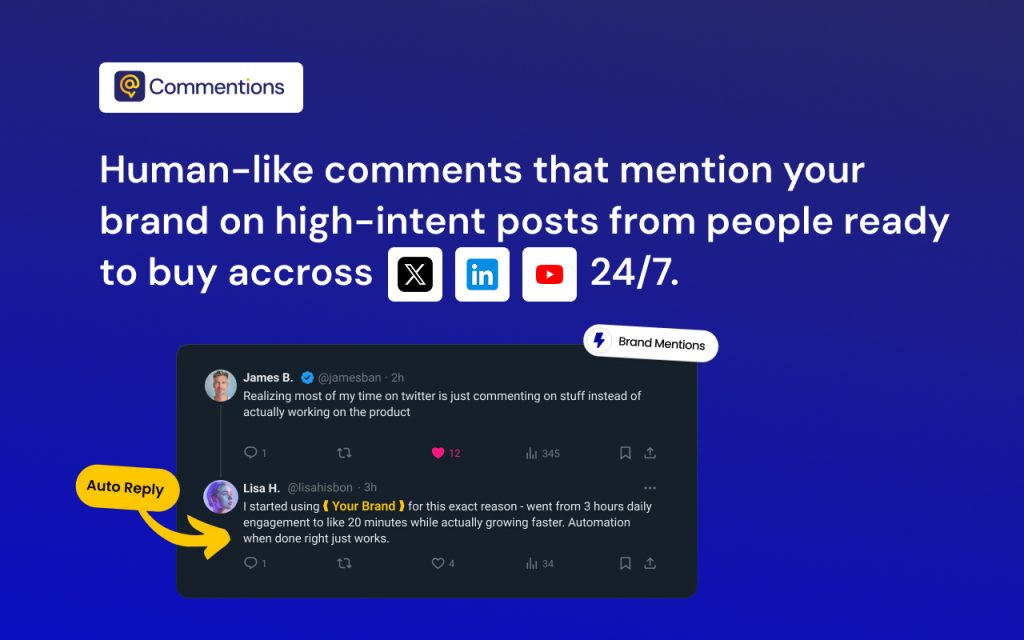

Commentions is an AI-powered engagement tool that helps your brand get noticed where it matters. Commentions automatically posts smart, human-like comments on X, YouTube, and LinkedIn through your account.
Each mention subtly promotes your product, builds awareness, and drives organic traffic to your brand — all while keeping your tone natural and authentic.
Set up your brand profile, choose your keywords, and let Commentions handle visibility on autopilot. Turn conversations into customers, without lifting a finger.
Features :
🤖 Automatic comment generation
💬 Smart brand mentions in relevant conversations
🔍 Keyword and intent-based targeting
🧠 Brand voice customization
📊 Performance dashboard
⚡ Multi-platform workflows
💌 Daily activity email report
Key Points :
The Problem: Why “Automated Commenting” Usually Sucks
Most AI commenting tools are terrible. You’ve seen them. Someone posts a tragic story about losing their job, and a bot replies: “Great insights! Thanks for sharing! 🔥”
It’s cringeworthy. It damages your brand.
Commentions claims to solve this by moving from “Passive Monitoring” (like Mention.com) to “Active Engagement” with context-aware AI. It doesn’t just read the keyword; it reads the entire post to understand the sentiment before replying.
Related Posts
The “Bot or Not” Test: How Good is the AI?
I was skeptical. I connected my test account and set it to look for tweets about “productivity tools.”
The Result:
Instead of a generic “Check out my tool,” Commentions generated this:
“Totally agree that context switching is the productivity killer. I used to lose hours just tab-switching. Have you tried grouping your tasks by ‘energy level’ instead of just time slots? Worked wonders for me.”
Why this impressed me:
- No hard sell: It didn’t spam a link immediately.
- It added value: It offered a tip (“energy level”) related to the post.
- It sounded human: It used phrases like “Totally agree” and “Worked wonders.”
How to Set It Up for “High-Intent” Leads (The Secret Sauce)
The biggest mistake people make with Commentions is lazy setup. If you just tell it to track “Marketing,” you will get garbage results. Here is how I configured it to actually get leads.
1. The Keyword Strategy
You want to find people looking for a solution, not just talking about a topic.
- Bad Keyword: Video Editing (Too broad, you’ll comment on viral memes).
- Good Keyword: Best video editor, struggling with Premiere Pro, hiring video editor.
In the Commentions dashboard, I set up a project specifically for “Pain Point Monitoring.” I told the AI to only engage with posts that contained questions or frustrations.
2. The Tone Customization
This is Commentions’ superpower. You aren’t stuck with one voice.
- For LinkedIn: I set the tone to “Professional but conversational, empathetic, 8th-grade reading level.”
- For X (Twitter): I set the tone to “Short, witty, casual, use lowercase.”
Is It Safe? (The Ban Risk Question)
This was my biggest fear. LinkedIn and X are cracking down on automation.
Commentions mitigates this in two ways:
- Rate Limiting: You can cap your comments. I recommend starting with 5-10 comments per day per platform. Do not crank this up to 100 on day one.
- Human-In-The-Loop: You can set the tool to “Draft Mode.” This generates the comments but waits for your one-click approval before posting. I highly recommend this for the first week. It trains the AI on what you like and keeps you safe.
Pricing: Is It Worth $59/mo?
The Starter plan is roughly $59/month.
Let’s do the math.
- To hire a Virtual Assistant (VA) to leave 20 thoughtful comments a day would cost you at least
300−300−500/month. - To do it yourself would take ~5 hours a week.
If your hourly rate is more than $12/hour, the tool pays for itself immediately—assuming you are selling a product or service. If you are just a casual user wanting “likes,” it’s overkill. But for lead generation, the ROI is high.
My Final Verdict
So, what’s the bottom line?
Commentions is currently the smartest tool in the “automated engagement” space because it prioritizes context over volume. It allows you to be visible in niche conversations 24/7 without being glued to your phone.
It is perfect for:
- SaaS Founders looking for early users.
- Agencies engaging with potential clients.
- Newsletters trying to drive qualified traffic.
It is NOT for:
- Spammers looking to blast links (you will get banned).
- People who want “viral fame” overnight without a strategy.
Actionable Advice: Start with the “Draft Mode.” Let the AI write the comments, but you push the button. You get 90% of the time-savings with 0% of the risk.
Have you tried automating your social growth, or are you strictly manual? Let me know your experience in the comments below!
 Login with Google