
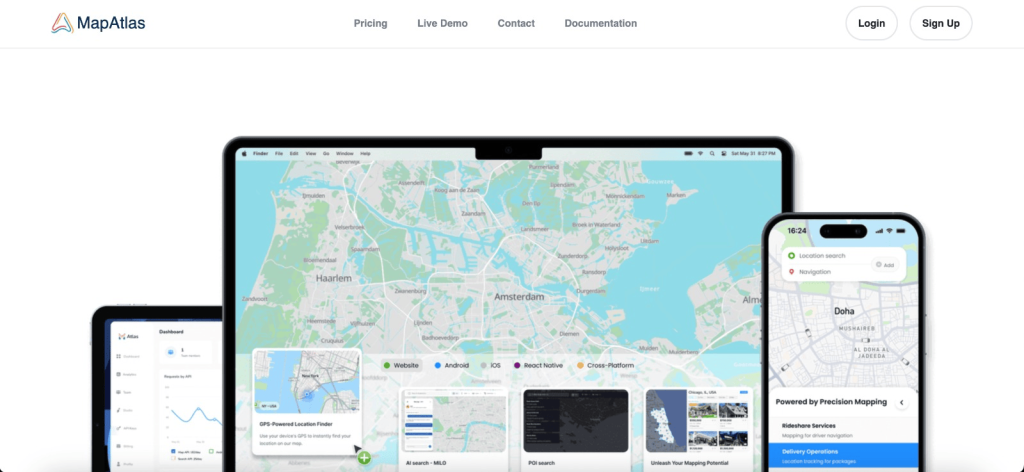

MapAtlas is the mapping API you wish you found sooner. Worldwide coverage, lightning-fast performance, and rock-solid stability, all at a price that makes sense. Fully customizable to match your brand and integrate seamlessly into your website or app.
Everything you need in one place: geocoding, routing, static maps, map tiles, and address autocomplete. Ready-to-use plugins for MapLibre, Leaflet, and other popular frameworks make integration quick and painless.
Style your maps to match your brand. Adjust colors, labels, and design so your maps feel like part of your product, not a third-party add-on.
Built for businesses that need maps to just work. Reliable uptime, responsive support from real humans, and transparent pricing with no hidden fees or usage traps.
Whether you’re building a mobility platform, real estate portal, logistics tool, or travel app, MapAtlas scales with you. Start in minutes, grow without limits.
Key Points :
Why I Started Looking
Here is the reality of mapping APIs today:
- Google Maps is incredible but gets expensive fast ($200 credit vanishes quickly).
- Mapbox is beautiful but has a steep learning curve.
- OpenStreetMap (Raw) is free but looks… well, like a free open-source project. It requires a lot of styling work to look professional.
I needed something in the middle: Plug-and-play simple, beautiful out of the box, and affordable at scale. That’s where MapAtlas steps in.
What is MapAtlas?
MapAtlas is a mapping API and platform designed for performance. While most tools focus on just “showing a map,” MapAtlas seems obsessed with data visualization speed.
They specialize in Geocoding (turning “123 Main St” into coordinates) and Vector Tiles (the map background itself). But their claim to fame is handling “heavy” maps—the kind with thousands of real estate listings or store locations—without crashing your user’s browser.
The Hands-On Test: Building a Real Estate Map
I didn’t want to just read the docs; I wanted to break it. I decided to build a simple “Property Finder” map to see if MapAtlas could handle the heat.
1. The Setup (Speed Run)
Getting an API key was refreshingly simple. No jumping through hoops or forced sales calls.
Related Posts
- I signed up at MapAtlas.eu.
- Grabbed my API Key from the dashboard.
- Time taken: 2 minutes.
2. The Integration
I use React for most of my builds. MapAtlas plays nice with standard mapping libraries like Leaflet or MapLibre. You don’t have to learn a proprietary “MapAtlas Language.” You just swap out the tile source URL.
Here is the snippet I used to get the base map running. Notice how simple the endpoint is:codeJavaScript
// Adding the MapAtlas Tile Layer
L.tileLayer('https://api.mapatlas.eu/tiles/{z}/{x}/{y}.png?key=MY_API_KEY', {
    maxZoom: 19,
    attribution: '© MapAtlas'
}).addTo(map);
3. The “Stress Test” (Clustering)
This is where most maps fail. I uploaded a dataset of 5,000 property locations to see how it handled the rendering.
- Google Maps: Usually requires me to implement a complex clustering algorithm effectively or it slows down.
- MapAtlas: I used their clustering features. The map loaded instantly. As I zoomed in and out, the “clusters” (those little bubbles that say ’50’, ’10’, ‘5’) broke apart and regrouped smoothly.
The API response time was snappy—averaging under 100ms for tile requests in my tests from Europe (which makes sense given their EU infrastructure).
The Feature That Hooked Me: Custom Styling
Design matters. If you are building a luxury travel site, you don’t want the standard “Google Yellow” roads.
MapAtlas offers pre-built styles that look premium immediately.
- Dark Mode: Perfect for dashboards and data heavy apps. It makes colored markers pop neon-bright.
- Light Mode: Very clean, similar to Apple Maps.
- Satellite: High-res imagery that actually loads fast.
I switched my real estate demo to Dark Mode with gold pins, and it instantly looked like a million-dollar app.
The “Gotchas”: What You Need to Know
I promised an honest review, so here is the friction I encountered:
- Documentation: It’s good, but not StackOverflow good. Because it’s a newer tool compared to Google, you won’t find 10,000 forum posts answering every specific error. You have to rely on their official docs (which are clear, but concise).
- Community: The ecosystem is smaller.You aren’t going to find 50 YouTube tutorials on “How to use MapAtlas with Python.” You need to be comfortable reading API documentation.
So, What’s the Bottom Line?
If you are just embedding a simple “Find Us” map for a local bakery, Google Maps is fine.
However, you should switch to MapAtlas if:
- You are building a SaaS, Directory, or Real Estate site.
- You serve European customers and care about GDPR/Data Privacy (hosting maps in the EU is a big compliance plus).
- You are tired of unpredictable API bills.
My Verdict: MapAtlas is the “Sanity Choice” for developers. It gives you 95% of the power of the big giants at a fraction of the cost and complexity.
Have you tried breaking away from the Google Maps ecosystem? What alternatives have you tested? Drop a comment below—I’d love to see what you’re building.
 Login with Google