
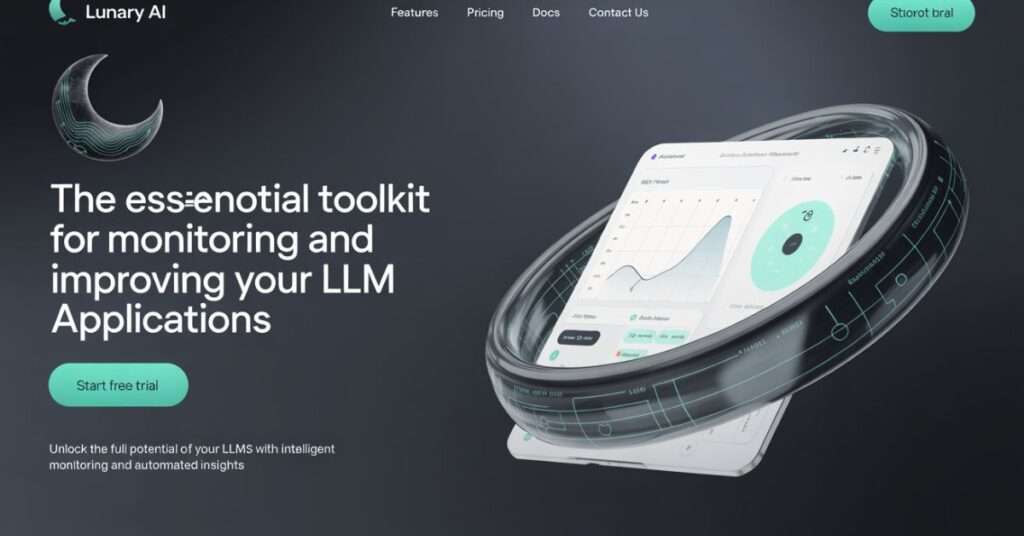
In today’s fast-paced world of AI development, ensuring optimal performance and seamless monitoring of large language models (LLMs) is crucial for developers and businesses alike. Whether you’re building a GenAI application, a chatbot, or any LLM-powered project, having the right tools to monitor performance, manage prompts, and track user interactions can make all the difference. Lunary AI is an open-source platform designed to provide just that—offering powerful observability, debugging features, and advanced prompt management capabilities. In this guide, we’ll dive deep into how Lunary AI works and why it might be the right fit for your next LLM project.
Introduction: The Challenge of Building Production-Ready LLM Apps
Welcome to the fast lane of AI development—where everyone’s rushing to launch the next big GenAI product, but only a few are doing it right. If you’ve ever tried moving a chatbot or an LLM-powered tool from a cool demo to a production-ready application, you already know it’s not just about getting the model to spit out the right answer. It’s about visibility, reliability, cost-efficiency, and trust. That’s where Lunary AI comes into play—and that’s exactly what we’re going to explore in this guide.
In this article, we’ll break down:
- Why monitoring LLMs (Large Language Models) is absolutely critical for production.
- What makes Lunary AI different from generic AI tools.
- How Lunary helps you stay in control with real-time LLM observability.
- Practical use cases, real-world examples, and hands-on guidance on everything from prompt versioning to cost tracking.
- Plus, we’ll compare Lunary AI with alternatives like LangSmith and Traceloop so you can make the smartest choice for your stack.
Let’s be real—AI development isn’t plug-and-play anymore. It’s more like building a rocket while you’re already halfway to orbit. With models that hallucinate, prompts that break silently, and APIs that can drain your budget faster than you can say “OpenAI,” developers need more than just clever code. You need tools that can give you eyes, ears, and brakes—and Lunary AI is that toolkit.
Why LLM Applications Are a Different Beast
LLMs and GenAI tools are rewriting the rules across sectors—think smarter customer service bots, hyper-personalized e-commerce, or AI copilots for medical diagnostics. Cool, right? But here’s the catch: these aren’t your regular SaaS tools. They’re non-deterministic, meaning the same input doesn’t always give the same output. They also rely on ever-changing APIs, complex prompts, and nuanced logic. That means traditional DevOps monitoring tools like Datadog, Prometheus, or Sentry? Yeah, they don’t cut it here.
You’re not just monitoring uptime—you’re trying to track the quality of conversations, output accuracy, model latency, prompt effectiveness, and user behavior. It’s a whole new playbook.
Enter Lunary AI: Built for the New AI Stack
That’s where Lunary AI comes in. Purpose-built for GenAI development, it’s not another “AI tool”—it’s a production toolkit for LLMs. Whether you’re building with LangChain, GPT-4, Claude, or open-source models like Mistral, Lunary plugs in to offer:
- LLM Observability: See how your models behave, track prompt performance, and flag issues before users do.
- Prompt Management & A/B Testing: Version, test, and optimize your prompts—because prompt engineering is a science now.
- Debugging for LLM Agents: Uncover why a chatbot decided to recommend pineapple on pizza (again).
- Cost Monitoring: Keep your API usage under control and avoid surprise bills at the end of the month.
- Open Source & Self-Hosting Options: Full control over your stack, perfect for privacy-sensitive applications.
This isn’t just another dashboard—it’s your GenAI control center.
What You’ll Get From This Guide
This isn’t going to be a fluff piece. You’re going to walk away knowing:
- How to monitor LLM application performance with Lunary AI
- The differences between Lunary AI vs LangSmith vs Traceloop
- How to self-host Lunary AI and integrate it with frameworks like LangChain
- Real-world examples of teams using Lunary to implement guardrails, track user interaction, and reduce AI hallucinations
Whether you’re scaling an internal AI tool or shipping an AI-powered product to thousands of users, this guide is your blueprint for building production-ready LLM apps the right way.
So, ready to level up your AI stack and stop flying blind? Let’s dive into the world of LLM observability—and discover how Lunary AI can give you the visibility and control you’ve been missing.
What Is Lunary AI? A Core Definition That Goes Beyond Buzzwords
Alright, let’s cut through the noise. If you’ve been poking around in the world of LLMs and GenAI tools, chances are you’ve heard of Lunary AI—maybe in a tweet, GitHub thread, or someone’s “How I Monitor My LangChain App” blog post. But what exactly is Lunary AI? More importantly, why is it showing up more and more in conversations about production-grade AI systems?
Here’s the real talk: Lunary AI is not just another fancy dashboard or buzzword-loaded “AI tool.” It’s a purpose-built, open-source production toolkit for LLMs—designed by devs, for devs—laser-focused on solving the unique headaches of working with large language models in real-world applications.
Let’s break it down.
Lunary AI: Born for LLM Observability, Built for Real Work
At its core, Lunary AI is a monitoring and observability platform tailor-made for LLM-powered applications. Think of it as your AI sidekick that helps you see under the hood of your GenAI apps—track prompts, monitor user interactions, catch odd model behavior in real-time, and even flag runaway API costs before they bankrupt your side project.
Originally launched as LLMonitor, the platform rebranded to Lunary AI to better reflect its evolving mission: making large-scale GenAI deployments safer, smarter, and actually maintainable. A name change isn’t just cosmetic—it signaled a pivot toward broader support, community expansion, and a laser-sharp focus on LLM-native development tooling.

And let’s be real: we all need it. Whether you’re a solo indie hacker building an AI tutor, or part of a product team managing customer-facing chatbots, things break. Prompts change. Costs spike. Models hallucinate. Lunary AI gives you the clarity and control to stay on top of all that chaos.
What Makes Lunary AI Different? Let’s Get Specific
Unlike generic DevOps or observability tools (think Sentry, Datadog, or New Relic), Lunary is built from the ground up for the unique quirks of LLMs. It doesn’t try to shove LLM events into traditional logging systems. It speaks prompt, token, temperature, and chain. Here’s what that actually looks like in practice:
Real-Time LLM Monitoring
From hallucinations to broken chains, Lunary helps catch things as they happen. You get granular visibility into:
- Prompt inputs and outputs
- Model latency and response times
- Token usage and cost per request
- User interaction flows (great for AI chatbots)
Prompt Management + A/B Testing
Managing prompts in production is like trying to herd cats, especially when you’re collaborating across teams. Lunary AI gives you a prompt versioning system that lets you test, iterate, and even run A/B experiments—so you don’t just guess which version works best, you know.
Debugging for LLM Agents
LLM agents (like ReAct, AutoGPT-style tools, or custom LangChain flows) are powerful but unpredictable. Lunary makes it easier to step through every decision your agent makes and understand what went wrong—and why.
Cost + Token Tracking
This is a big one. Most developers realize—usually too late—that LLM API usage can get expensive fast. Lunary AI breaks down token-level costs, flags anomalies, and helps optimize usage, especially for apps running on models like GPT-4 or Claude.
Open-Source and Self-Hostable
Here’s the kicker: Lunary AI is open source. No vendor lock-in. You can host it on your own servers, air-gapped infrastructure, or even plug it into your custom DevOps flow. This makes it perfect for companies handling sensitive data, or just devs who don’t want to send everything to the cloud.
Why You Should Care (Even If You’re Not a “Monitoring Person”)
A lot of developers still treat observability as a “nice to have”—until something breaks in production and users start rage-emailing support. But with LLMs, it’s a different game. You’re not just tracking code execution—you’re managing non-deterministic systems that can behave very differently from one run to the next.
That’s why LLM observability isn’t optional anymore—and that’s exactly the problem Lunary AI is built to solve. It’s not about vanity metrics or dashboards you never look at. It’s about trust. Trust in your app, trust in your model, and trust from your users.
“We implemented Lunary AI into our LangChain-based internal chatbot, and within 48 hours it helped us spot a prompt bug that was silently failing 30% of user queries.”
— Real feedback from a software lead at a fintech startup
Key Features of Lunary AI Explained
Let’s be real—nobody wants to ship an LLM-powered app that crashes, misfires, or leaks sensitive data. If you’ve ever wrestled with broken prompts, runaway token costs, or mysterious chatbot fails, you know how important it is to have the right tools watching your back. That’s where Lunary AI steps in like your GenAI bodyguard, therapist, and personal trainer all rolled into one.
In this section, we’re diving deep into the core features of Lunary AI, breaking down exactly what it offers and why it matters for developers, startups, and AI teams looking to go from hackathon prototype to scalable, production-ready application. From observability to prompt management, here’s your hands-on guide to the tools that make Lunary AI a serious player in the LLM ecosystem.
LLM Observability & Monitoring: See What Your AI Sees (and Screws Up)
Real-Time Analytics for Token Costs, Latency & Volume
Every LLM app runs on tokens—and tokens = money. With Lunary AI’s detailed analytics dashboard, you get live visibility into token usage, request volume, latency, and costs. Whether you’re running RAG pipelines, chatbots, or custom agents, this means no more surprise bills or slow performance lurking in the shadows.
Let’s say your chatbot starts slowing down during peak hours—Lunary helps you catch that spike before your users rage-quit.
Debugging with Traces: Understand Every Step
You know that annoying moment when something breaks and you have no clue where? Lunary’s trace viewer is a game-changer. It lets you visualize the entire flow of LLM calls, making debugging a breeze. Whether it’s LangChain chains, prompt sequences, or agent logic, Lunary lays it all out.
Think of it as “flight recorder black-box” tech—but for your AI agents.
Error Tracking & Logging
Stuff breaks. It’s normal. What matters is how fast you catch and fix it. With Lunary AI, errors are logged, categorized, and tracked in real-time. You’ll instantly know if a call failed due to API limits, malformed prompts, or bad inputs.
This alone can save hours of hair-pulling.
User Tracking & Session Replays
Want to know how your users are interacting with your LLM app? Lunary lets you replay entire sessions—kind of like watching game film after a match. You’ll see user inputs, system responses, and prompt behavior, helping you refine the experience over time.
Perfect for UI-based chatbots, customer support assistants, or interactive tools.
Prompt Management & Experimentation: Finally, Organized Prompting
Centralized Prompt Directory
Let’s face it—managing prompts in a codebase gets messy fast. Lunary gives you a centralized prompt library where you can store, organize, and manage prompts like an adult. No more “prompt_final_v3_really_final.json” floating around your folders.
Version Control & Collaboration
Lunary turns prompts into something versioned and team-friendly. Want to A/B test new variants? Collaborate with non-dev teammates on copy? You can edit and deploy new prompts without touching the code.
This is huge for marketing teams, UX folks, and anyone not living in VSCode.
A/B Testing Made Easy
Not sure which prompt will convert better or return more factual results? Lunary supports built-in A/B testing for prompt variants. Run experiments, track metrics, and find the winner.
Treat your prompts like hypotheses, not static text.
Seamless Code Integration
Use LangChain? OpenAI’s SDK? LiteLLM? You’re covered. Lunary offers lightweight SDKs that plug into your stack in minutes. It doesn’t force you to change frameworks—just gives you superpowers inside the ones you already love.
Evaluations & Quality Assurance: No More Guessing
Automated & Manual Feedback
Whether you’re building customer-facing tools or internal copilots, quality matters. Lunary enables both automated scoring (e.g., using evaluation prompts or metrics) and manual ratings from human reviewers.
You can even pull in real user feedback for continuous tuning.
Evaluation Pipelines
Need structured workflows to validate your LLM outputs before shipping? Lunary supports custom evaluation pipelines, allowing you to define pass/fail thresholds and scoring logic. These pipelines are repeatable and ideal for regression testing.
Think “CI/CD for prompts.”
Dataset Building for Fine-Tuning
Need to collect samples for model fine-tuning later? Lunary helps you label, categorize, and store output data, building clean datasets for future iterations. Whether you’re planning a retrain or a custom model build, this puts the data right in your hands.
Guardrails & Security: Responsible AI, Out of the Box
Guardrails for Toxicity, PII & Prompt Injection
We’ve all seen the headlines—AI chatbots going off-script, exposing data, or generating something very not okay. Lunary includes built-in guardrails to prevent prompt injections, toxic content, and unsafe outputs. You can implement filters, rules, and policies with ease.
Enterprise-Grade Data Security
Privacy isn’t optional—especially if you’re handling user inputs that might include personal data. Lunary AI comes with PII masking, encrypted data handling, and self-hosting options that keep your compliance officer happy.
Self-Hosting & Compliance Options
Speaking of compliance: want full control over your data? You can self-host Lunary AI on your own infrastructure. Ideal for healthcare, finance, and any high-sensitivity use case where SaaS just isn’t viable.
And yes, there’s full support for GDPR, HIPAA (with configs), and more.
Plug-and-Play Integrations: No Lock-In, Just Power-Ups
Framework Support
Out of the box, Lunary works with LangChain, LiteLLM, and LlamaIndex. If you’re building AI workflows with these tools, it fits right in—like adding mirrors to your LLM engine so you can finally see what it’s doing.
Cloud Provider Flexibility
Whether you’re calling OpenAI’s GPT-4, Anthropic’s Claude, or another LLM provider, Lunary’s flexible integration layer lets you monitor across vendors. You’re not stuck in a one-provider world.
1-Line SDK Setup
The cherry on top? Most features can be enabled with just one line of code. Seriously. Lunary’s SDKs are lightweight, non-invasive, and optimized for fast deployment.
Who Is Lunary AI For? Identifying the Target Audience
Let’s cut to the chase: Lunary AI isn’t just another flashy GenAI tool on the block. It’s a purpose-built, open-source observability and monitoring toolkit designed with real-world LLM challenges in mind. But here’s the question we’re diving into today—who exactly is Lunary AI for? Whether you’re a solo dev hacking away on a weekend project, or part of a security-conscious enterprise deploying AI at scale, Lunary has something under the hood for you.
In this section, we’re peeling back the curtain to explore the specific user groups Lunary AI is built for, how they can benefit, and why it might just be the tool missing from your LLM stack.
Developers Building LLM Apps: From Hackers to Indie Makers
Let’s start with the builders—the tinkerers, the indie creators, the prompt engineers pushing the boundaries of what AI apps can do. If you’re creating AI chatbots, GenAI-powered content tools, or anything in between, Lunary is your new best friend.
Why? Because Lunary handles all the annoying stuff that slows down your dev flow:
- Prompt Management Tool that lets you version prompts like GitHub handles code.
- Debugging with traces, so you can actually see where your chain broke instead of sifting through ambiguous error logs.
- A/B Testing for prompts, without hardcoding changes or pushing multiple deploys.
Real-world example? A solo dev building a RAG (retrieval augmented generation) app using LangChain can integrate Lunary AI with just a few lines of code. Suddenly, they’ve got session replays, user tracking, and live analytics—all without duct-taping together six other tools.
So yeah, if you’re building LLM apps, Lunary AI isn’t optional—it’s essential.
MLOps Engineers: Keeping AI in Production from Melting Down
If you’re in charge of keeping GenAI apps alive in production—first of all, we salute you. You’ve got one of the hardest jobs in AI right now.
And Lunary’s got your back.
This platform offers:
- Deep LLM observability and real-time monitoring across latency, cost, token usage, and request volumes.
- Built-in error tracking, so you’re not waking up to Slack alerts at 2 a.m.
- A complete LLM evaluation tool that lets you continuously test for quality degradation over time.
Whether you’re managing OpenAI APIs or LangChain pipelines, Lunary’s production toolkit for LLMs is designed to make sure your models don’t hallucinate themselves into disaster.
Product Teams Needing User Insights & Visibility
For teams that care about how users actually interact with your AI product, Lunary AI serves as a powerful magnifying glass.
You can:
- Replay user sessions, right down to the individual token.
- Track engagement patterns and prompt performance.
- Dig into metrics that actually matter—like user frustration signals or conversion drop-offs inside AI flows.
One product lead described it as “Mixpanel for LLMs, but open-source and focused on prompts.” That says it all.
If you’re flying blind on how users are engaging with your chatbot or GenAI tool, Lunary gives you x-ray vision.
Enterprises That Care About Security, Privacy & Compliance
Let’s face it—LLMs are powerful, but they’re also risky. Data leaks, prompt injections, and compliance breaches are real concerns for companies rolling out AI in serious environments.
Here’s where Lunary shines:
- Built-in PII masking and redaction.
- RBAC (role-based access control) for team permissions.
- SSO and self-hosting options that keep your data where it belongs—your servers.
Got strict compliance requirements? Need full audit trails? Worried about GDPR or SOC 2? Lunary checks the boxes. It’s one of the few LLM monitoring tools designed with enterprise-grade security from day one.
Teams Exploring Open-Source LLM Tooling
Tired of vendor lock-in? Don’t want to shove your app’s brain into a black box just to add observability?
Lunary AI is 100% open source. You can self-host it. Fork it. Contribute to it. Or just run it locally for dev/test workflows.
For orgs and researchers who value transparency, control, and extensibility, Lunary is a dream. It’s not only about being free—it’s about being freeing.
If you’re comparing Lunary AI vs LangSmith or Traceloop, one massive difference is this: you can actually look under Lunary’s hood. No secrets, no lock-in, just clear tools built by and for the AI dev community.
So… Is Lunary AI Right for You?
If you’ve made it this far and nodded at least twice, odds are—yeah, it probably is.
Here’s a quick recap:
- Solo developers & indie hackers → streamline your LLM dev workflow.
- MLOps engineers → get enterprise-grade monitoring and debugging.
- Product teams → unlock meaningful user insights from GenAI interactions.
- Security-conscious companies → stay compliant and in control.
- Open-source enthusiasts → enjoy freedom without compromise.
Whether you’re building a side hustle or scaling a GenAI product to millions, Lunary meets you where you are—and grows with you.
Lunary AI: Open Source vs. Hosted (Cloud) Options – Which One’s Right for You?
Let’s be real—when you’re building, testing, and shipping GenAI apps or AI chatbot tools, infrastructure choices can either boost your velocity or trip you up. And when it comes to Lunary AI, you’re not stuck with a one-size-fits-all setup. This platform’s flexibility is one of its biggest superpowers.
Whether you’re a solo dev hacking away at a weekend RAG project, or part of an MLOps team deploying AI at scale in a privacy-sensitive enterprise, Lunary’s got you covered. In this section, we’ll break down the pros, cons, and ideal use cases for Lunary AI’s open-source vs. hosted (cloud) options—so you can choose the setup that makes the most sense for you.
And yep, we’ll also talk real-world trade-offs, security implications, costs, and why some developers swear by full control while others would rather let someone else deal with Kubernetes headaches.

The Open-Source Lunary AI: Freedom with a Bit of DIY
Ever wanted to peek under the hood of your tools? With Lunary AI’s open-source version, you can do just that—and more.
This version lives on GitHub, is self-hostable, and gives you complete ownership of your data, infrastructure, and deployment workflows. It’s perfect if you’re building LLM observability pipelines in-house, managing prompt versioning, or even implementing custom LLM guardrails. You’re free to tinker, tailor, and optimize without limits.
Benefits of Going Open-Source
- Total Data Ownership
Privacy-focused orgs, rejoice. You keep everything on your own servers. No third-party cloud provider touching your user interactions or prompt logs. - Maximum Customization
Have a quirky DevOps stack or a unique flow for debugging LLM agents? You can mold Lunary AI into whatever your workflow demands. - Zero Vendor Lock-In
Hate being tied to a specific provider? This setup ensures full portability and long-term control. No black boxes. - Community-Driven & Transparent
With an active GitHub repo and open issue tracking, you know exactly what’s going on behind the scenes—and can even contribute if you want.
But Here’s the Catch…
- You’ll Need Tech Chops
Self-hosting means dealing with Docker, Kubernetes, SSL certs, scaling issues… the whole stack. If you’re not DevOps-savvy, prepare for a learning curve. - Manual Updates & Maintenance
Want that shiny new feature Lunary dropped last week? You’ll need to pull the latest version and roll it out yourself. Not ideal if you’re trying to move fast and not break things. - Resource-Intensive
Infrastructure isn’t just code—it’s time, servers, and people. That can get costly if you’re not careful.
Use Case: A fintech startup self-hosting Lunary on-prem to meet compliance needs, with a dedicated DevOps team maintaining Docker clusters and masking PII data at the edge.
The Hosted (Cloud) Version: Easy, Managed, and Fast
Now, let’s say you’re more focused on building than babysitting servers. That’s where Lunary AI’s cloud-hosted option shines.
This fully managed version lets you skip the hassle of infrastructure. You sign up, plug in your app, and you’re up and running with full GenAI application monitoring, prompt tracking, and user session replays—all without touching a single terminal window.
Why Teams Love the Hosted Version
- Instant Setup
Literally takes minutes. No YAML. No ports. No stress. You can start tracking LLM performance almost immediately. - No DevOps Overhead
Say goodbye to maintenance windows and failed upgrades. Lunary handles scaling, security patches, and uptime—all under the hood. - Built-In Security & Compliance
Even though it’s cloud-based, the hosted version offers RBAC, SSO, PII masking, and enterprise-grade security baked in. - Priority Support
Stuck debugging an edge case or integrating with LangChain? Hosted users get faster support, guided onboarding, and dedicated resources.
What to Consider…
- Data Hosted Externally
Depending on your region, vertical, or compliance needs (looking at you, healthcare and finance), this could be a blocker. - Recurring Costs
You’ll pay for usage, seats, or feature tiers. It’s not outrageous, but definitely something to factor in if you’re scaling fast.
Use Case: A media company using Lunary’s hosted platform to monitor AI chatbot interactions with customers—focusing more on UX optimization than infrastructure maintenance.
So… Which One’s Right for You?
Let’s break it down real quick with a side-by-side comparison:
| Feature | Open Source Lunary | Hosted Lunary AI (Cloud) |
|---|---|---|
| Setup Time | Moderate to High | Super fast (minutes) |
| Data Ownership | Full control | Stored on Lunary’s cloud |
| Infrastructure Management | Self-managed | Fully managed |
| Customization | Unlimited | Limited to config options |
| Security Compliance | Fully customizable | Enterprise-ready features |
| Cost Model | Free (but infra costs apply) | Subscription-based |
| Technical Skill Required | High (DevOps experience) | Low to Moderate |
And remember—both versions support the same core functionality: real-time LLM monitoring, AI chatbot tracking, prompt engineering insights, and powerful observability dashboards. You’re not sacrificing features by going one way or the other. Just choosing your operational preference.
Lunary AI vs. The Alternatives (Addressing the Comparison Gap)
Let’s face it: choosing the right LLM observability tool today feels a bit like walking through a foggy tech forest. You hear buzz about LangSmith, stumble across Traceloop, and then there’s Lunary AI—sitting quietly but confidently, open-source flag in hand. But what’s real? What actually fits your use case, your team, and your budget?
In this section, we’re cutting through the fluff. We’ll unpack exactly how Lunary AI stacks up against its top competitors—LangSmith and Traceloop—so you’re not stuck guessing or hopping between 20 browser tabs. Whether you’re a solo dev, a startup scaling fast, or a product lead in enterprise land, this deep dive has got your back.
Quick Overview: What Makes Lunary AI Special?
Before we get into the head-to-heads, here’s the TL;DR: Lunary AI is open-source, self-hostable, and loaded with chatbot-focused features—all wrapped in a slick UI and a price tag that won’t break the bank.
If your GenAI app relies on LLMs, whether it’s a chatbot, RAG-powered search tool, or custom prompt flow, Lunary’s got observability baked in without locking you into a walled garden.
Now let’s break it down feature by feature.
Open-Source Freedom vs. Closed Gardens
| Feature | Lunary AI | LangSmith | Traceloop |
|---|---|---|---|
| Open Source | Yes | No | No |
| Self-Hosting | For everyone | Only for enterprises | Not available |
One of Lunary’s strongest selling points? You own your stack. From deploying on-premise for compliance-heavy industries to customizing backend logic, Lunary gives you that “I’m in control” power. It’s literally hosted on GitHub and is easy to fork, tweak, and scale.

Compare that to LangSmith—only enterprise users get that self-hosting privilege. And Traceloop? Entirely closed source, no option to self-host. That’s a no-go for privacy-conscious teams.
If you’re handling PII, healthcare data, or need to adhere to GDPR/CCPA, Lunary’s open architecture is a game-changer.
Integration: Fast vs. Finicky
| Feature | Lunary AI | LangSmith | Traceloop |
|---|---|---|---|
| Ease of Integration | 1-liner setup | Works best with LangChain | Simple for feedback loops |
Here’s something most people don’t talk about: setup time matters. Especially when deadlines are tight or MVPs need to ship yesterday.
Lunary’s integration is literally one line of code. It works across Python, Node.js, and popular frameworks like LangChain and LlamaIndex—but isn’t dependent on them. LangSmith, on the other hand, really wants you to use LangChain. It’s powerful there, sure, but gets clunky outside that bubble.
Traceloop? Great for feedback loops and telemetry, but less holistic in terms of tracking conversations or prompt iterations.
Chatbot & Prompt Observability: Lunary’s Sweet Spot
| Feature | Lunary AI | LangSmith | Traceloop |
|---|---|---|---|
| Chatbot-Specific Features | Rich UI, replay, user tracking | Lacks chatbot support | Strong UX tracking |
| Prompt Management | A/B tests, versioning, central repo | Templates & playground | Basic prompt tools |
This is where Lunary absolutely shines. It’s built with chatbot monitoring in mind—you can replay chats, track user journeys, classify topics, and even version your prompts like Git branches.
Want to test two versions of a prompt in real-time? Done. Need to analyze how users respond over time? Covered. Trying to debug a weird behavior in your AI agent’s memory? Replay it frame by frame.

LangSmith supports prompt debugging, sure—but doesn’t have dedicated tools for chatbots or end-user interactions. And while Traceloop captures feedback well, it doesn’t dig deep into prompt logic or LLM decisions like Lunary does.
Pricing & Support: Startups, Take Note
| Feature | Lunary AI | LangSmith | Traceloop |
|---|---|---|---|
| Pricing | From $20/month | From $39/month, $75k+ enterprise | Usage-based |
| Support | Startup-friendly, open-source help | Enterprise focus | Community-driven |
Let’s talk money. Lunary AI starts at just $20/month for Pro, which gives you access to all the good stuff. That’s less than half of what LangSmith charges, and Traceloop pricing can vary wildly depending on volume.
More importantly, Lunary has an active open-source community. So even if you’re bootstrapping your side project, you’re not stuck in the dark. Meanwhile, LangSmith leans hard into the enterprise side—with slower response times and limited support for smaller users.
Security, PII, and Compliance
Here’s where things get serious.
Lunary includes built-in PII masking and secure logging by default—you don’t have to write custom logic to protect your users. LangSmith? You’ll need to roll your own configs. Traceloop? Security isn’t really the main focus.
So if you’re building in fintech, healthcare, or legal tech, Lunary’s security-first approach could save you hours of dev time—and compliance headaches.
Practical Use Cases for Lunary AI (Addressing the Use Case Gap)
Let’s be honest—there’s no shortage of AI tools out there promising to revolutionize your GenAI workflows. But most fall short when it comes to delivering real, boots-on-the-ground value once you’re actually running LLMs in production. That’s where Lunary AI changes the game.
In this section, we’re diving deep into how teams are actually using Lunary AI today to solve messy, everyday problems in LLM development—without all the fluff. You’ll get real-world use cases, learn how different teams are putting Lunary into action, and walk away with practical ideas you can literally implement tomorrow.
Let’s bridge that “use case gap” once and for all.
Use Case #1: Monitoring a Customer Support Chatbot for Accuracy and Cost
Imagine you’ve got a chatbot running on your website—friendly, fast, and powered by an LLM. Great, right? Until it says something awkward to a customer or starts racking up OpenAI API costs like it’s on a shopping spree.
Here’s how Lunary AI fixes that:
- Chat Replays: See every single user interaction—like a flight recorder for your bot. If something goes wrong, you’re not guessing what happened.
- Feedback Buttons : Capture real-time user reactions to responses. Combine that with written feedback, and you get gold for training data.
- Cost Monitoring: Track token usage per prompt or session so you know where your LLM budget is going.
Real-world win: One e-commerce startup reduced hallucinations by 27% just by monitoring bad thumbs-down responses and tweaking prompt phrasing. Oh, and they saved $300/month on API calls.
Use Case #2: Debugging a Multi-Step LLM Agent (e.g., RAG Agents)
Working with a Retrieval-Augmented Generation (RAG) agent? Or some LLM agent stringing together tools like a chain of command? Then you know debugging these flows is painfully opaque.
Lunary AI gives you X-ray vision:
- Workflow Tracing: See each step—every tool call, API hit, and LLM response—all neatly visualized.
- Error Surfacing: Instantly spot where things broke down, whether it’s a failed database lookup or an LLM misunderstanding a tool’s output.
- Step-by-Step Logs: Don’t just know what failed—know why.
Pro Tip: Pair Lunary with your LangChain agents for full traceability. One dev team used this to shave 40% off debugging time during a RAG implementation.
Use Case #3: Improving Prompt Performance in Content Tools
Prompt engineering isn’t a one-and-done job. It’s an ongoing science experiment—especially if you’re building content generation tools like blog writers, caption generators, or email assistants.
Lunary’s secret sauce here? Prompt management + live A/B testing:
- Version Control: Track every tweak to your prompts like Git for language design.
- A/B Testing: Run controlled experiments in production—compare prompt A vs. prompt B, and measure outcomes like user satisfaction or LLM latency.
- Performance Metrics: Get visibility into response quality, generation time, and more.
Case in point: A SaaS team building a LinkedIn post generator used Lunary to test prompt tone variations (formal vs casual). Casual won by 33%—which led to higher engagement and conversion.
Use Case #4: Ensuring Data Privacy in an Internal Knowledge Base AI
Deploying an internal AI system with access to company documents? Then privacy isn’t just a checkbox—it’s a non-negotiable.
Why Lunary shines in secure environments:
- Self-Hosting: Run everything on-prem or in your private cloud. No data ever leaves your network.
- Built-in PII Masking: Automatically redact personal data from logs and traces.
- Strict Access Controls: Limit who can see what—down to specific logs or features.
Industry relevance: A healthcare provider used Lunary to monitor their patient-support bot while staying HIPAA-compliant. Self-hosting made the legal team happy. The developers? Even happier.
Use Case #5: Tracking Adoption and Usage of a New AI Feature
Rolling out a new AI-powered feature? Maybe an auto-complete in your email app or a summarizer inside a knowledge base?
Here’s how Lunary helps measure success and iterate fast:
- Custom Event Tracking: Monitor how users engage with specific features.
- Session Insights: See how often the feature’s used, how long interactions last, and whether users return.
- Feedback Channels: Built-in thumbs-up/down or comment capture lets users tell you what’s working—and what’s
Getting Started With Lunary AI (Actionable Insight)
So, you’ve heard the buzz about Lunary AI, seen the real-world use cases, and now you’re wondering: “Okay, cool—but how the heck do I actually get this thing up and running?”
Perfect. You’re in the right place.
In this section, we’re diving headfirst into the how-to of getting started with Lunary AI—whether you’re spinning up a project in the cloud, setting it up on your own servers, or integrating it with your LLM workflows using SDKs. We’ll walk through everything step-by-step, with real tips, hands-on examples, and no fluff. By the end, you’ll be fully equipped to start monitoring, debugging, and optimizing your GenAI apps using Lunary’s powerful features.
Let’s break it down, plain and simple.
Option 1: Cloud Setup — The Fastest Way to Start Monitoring LLMs
If you’re itching to get started without messing with infrastructure, the cloud-hosted version of Lunary AI is your best bet. It’s like plug-and-play for LLM observability.
How to Get Started (Cloud Version)
- Sign Up at Lunary.ai:
Head over to the site, create your free account (yes, there’s a free tier), and you’re instantly dropped into a clean dashboard. - Create a New Project:
Once inside, hit “New Project,” name it whatever makes sense for your use case (e.g., “RAG Chatbot” or “Internal AI Tool”), and boom—you’re halfway there. - Get Your API Keys:
You’ll receive two keys: a public key (safe to use in frontend code) and a private key (keep this one secret like your Netflix password). These will authenticate your app with Lunary’s API. - Connect Your App:
With your API keys, drop a few lines of code into your app (we’ll cover that in a bit), and you’re now tracking LLM interactions live. Seriously, it’s that quick.
Why Cloud?
It’s great for teams who want instant visibility, dashboards, and feedback tracking without touching Kubernetes or Docker. Plus, automatic updates = less maintenance.
Option 2: Self-Hosting — For Maximum Control (and Compliance)
Not into SaaS? Working in a high-security environment? Need to keep data behind your own firewall?
Self-hosting Lunary AI gives you total control—your infrastructure, your rules.
What You’ll Need
- Docker or Kubernetes (via Helm Charts)
- A PostgreSQL database
- Access to a Linux server or your own cloud instance
Self-Hosting Setup Walkthrough
- Clone the Repo or Grab the Docker Image:
Head over to the Lunary GitHub and either clone the repo or pull the Docker image. - Set Up Your Database:
Lunary requires PostgreSQL. Set up a local or remote instance, then create your database schema using the provided SQL files or docker-compose script. - Configure Secrets:
Set your environment variables, includingLUNARY_PUBLIC_KEY,LUNARY_PRIVATE_KEY, and database connection strings. You can use.envfiles for this too. - Run the App:
Start everything up using Docker Compose or deploy with Helm Charts if you’re on Kubernetes. Once running, access your local Lunary dashboard and start tracking.
Why Self-Host?
Perfect for enterprises, government orgs, or devs working with sensitive data where cloud just isn’t an option. Plus, built-in PII masking and strict access controls = peace of mind.
SDK Integrations: Plug Into Any Stack in Minutes
Lunary offers clean, lightweight SDKs for both JavaScript and Python, making it super easy to hook into whatever stack you’re using—LangChain, LiteLLM, custom GenAI backends, you name it.
JavaScript SDK (for Node or frontend apps)
npm install lunary
import { Lunary } from 'lunary'

const lunary = new Lunary('your_public_key')

// Track a prompt
lunary.logPrompt({
  type: 'llm',
  input: "Write a short poem about AI",
  output: "AI writes like a dream in code",
  metadata: {
    userId: "user_123"
  }
})
Python SDK (ideal for LangChain, FastAPI, etc.)
pip install lunary
Then in your app:
import lunary

lunary.init(public_key="your_public_key")

lunary.log_prompt(
    type="llm",
    input="Summarize this paragraph",
    output="The paragraph discusses...",
    metadata={"session_id": "abc123"}
)
Bonus: You can also pipe Lunary into LangChain, RAG apps, or custom agents with just minor tweaks. Need to debug multi-step agents? You’ll be able to visualize each call and tool usage inside Lunary’s trace view—total clarity.
API Access: Monitor LLM Usage Programmatically
Want to do things CLI-style or fetch stats externally? Lunary’s got your back with a simple, RESTful API.
Example API Call (Using curl)
curl --get 'https://api.lunary.ai/v1/runs' \
  -H "Authorization: Bearer <api_key>" \
  -d "limit=10" -d "page=0" -d "order=asc" -d "type=llm"
This pulls the last 10 tracked LLM runs—great for creating custom dashboards, syncing with internal tools, or auditing.
Note: Rate-limited to 30 requests per second per key. Just enough power, no abuse.
Resources, Docs, and Starter Kits
Don’t worry if you’re not an expert yet. Lunary’s documentation is actually good—we’re talking code samples, self-hosting guides, SDK tutorials, and even starter repos for quick experimentation.
Tip: Start small—track one prompt, see the feedback roll in, then expand from there.
FAQ: All Your Questions About Lunary AI, Answered
Here are the most common questions people might have when considering Lunary AI for their LLM (Large Language Model) projects. We’ve got you covered with all the details you need to make an informed decision.
1. What is Lunary AI?
Answer:
Lunary AI is an open-source production toolkit for monitoring, debugging, and managing Large Language Models (LLMs). It provides robust observability, advanced prompt management, user feedback tracking, and more. Designed for developers, Lunary helps teams monitor and optimize LLM-powered applications, whether hosted on the cloud or self-hosted.
2. How does Lunary AI help monitor LLMs?
Answer:
Lunary AI allows you to track the performance of your LLM applications in real-time. It provides insights into token usage, model outputs, and system behavior. With built-in features like prompt versioning, analytics, and logging, you can debug and optimize your models effectively. The platform also tracks user interactions, which helps improve model performance and user experience over time.
3. Is Lunary AI open-source?
Answer:
Yes! Lunary AI is fully open-source. This means that not only can you use it for free, but you can also contribute to the project or modify it to suit your needs. The open-source nature ensures transparency and flexibility, making it a great choice for teams looking for a customizable solution.
4. What are the key features of Lunary AI?
Answer:
Some of the standout features of Lunary AI include:
- LLM Observability: Real-time tracking of LLM behavior, including prompt usage and model outputs.
- Prompt Management: Versioning, testing, and optimization of AI prompts.
- User Feedback Tracking: Collect and analyze user feedback to improve models.
- Enterprise-Grade Security: PII masking, RBAC (Role-Based Access Control), and compliance tools.
- Multi-Platform Integration: Works with various LLM frameworks like LangChain, LiteLLM, and more.
- Self-Hosting Option: You can run Lunary AI on your own infrastructure with full control.
5. How does Lunary AI compare to LangSmith?
Answer:
Lunary AI and LangSmith both offer observability and monitoring for LLM applications, but they differ in their focus and features:
- Lunary AI focuses heavily on developer-centric tools, such as LLM performance monitoring, prompt versioning, and debugging. It also offers self-hosting options for full control over your data and infrastructure.
- LangSmith, on the other hand, emphasizes workflow orchestration and integrating LLMs into production environments, often targeting enterprise-level applications with more complex workflows.
The choice between Lunary AI and LangSmith largely depends on your needs: Lunary is ideal for flexible, open-source monitoring and developer-focused tools, while LangSmith excels in workflow orchestration and large-scale enterprise integrations.
6. Can I self-host Lunary AI?
Answer:
Yes, Lunary AI can be self-hosted. If you need full control over your environment and data, you can deploy Lunary on your own servers using Docker or Kubernetes with Helm charts. The setup requires a PostgreSQL database, along with configuration for secrets and environment management. Detailed documentation is available to guide you through the process.
7. What integrations does Lunary AI offer?
Answer:
Lunary AI supports integration with several popular frameworks and platforms, including:
- LangChain
- LiteLLM
- OpenAI API
- Custom LLM implementations
Additionally, Lunary’s flexible API allows for easy integration with various tools and workflows, ensuring that you can build a monitoring and observability system that fits your project’s needs.
8. How much does Lunary AI cost?
Answer:
Lunary AI offers both free and paid versions. The core features, including observability, logging, and prompt management, are available for free in the open-source version. For advanced features, enterprise support, and additional integrations, you can opt for the paid plans. Pricing details are available on the official Lunary website.
9. How do I set up Lunary AI?
Answer:
Setting up Lunary AI is quick and easy. If you choose the cloud-hosted version, simply sign up at lunary.ai, create a project, and grab your API keys. Then, integrate your LLM application by following the easy setup guide. For self-hosting, you’ll need to deploy Lunary using Docker or Kubernetes, configure a PostgreSQL database, and follow the provided installation scripts. Detailed documentation is available on Lunary’s website and GitHub.
10. What is LLM observability?
Answer:
LLM observability refers to the ability to track and monitor how your Large Language Models are performing in real-world applications. This includes insights into token usage, response times, model behavior, and system performance. Lunary AI offers comprehensive LLM observability tools, allowing you to debug, optimize, and improve your models effectively. With Lunary, you get a clear view of your LLM’s behavior and performance, ensuring better control and improved results.
Conclusion: Is Lunary AI Right for Your LLM Project?
Alright, let’s get real—navigating the landscape of LLM tools is like picking the right tool out of a Swiss Army knife. So many options, but which one actually does the job right? If you’ve been hunting for a tool that not only helps you monitor and debug your LLM app, but also keeps your prompts tight, tracks user interactions, and doesn’t cost an arm and a leg, Lunary AI might just be the game-changer you’re looking for.
In this wrap-up, we’re breaking it down: who Lunary AI is really for, what it does exceptionally well, and where it fits into your LLM development pipeline—whether you’re bootstrapping a side project or deploying AI at scale inside a Fortune 500 company.
Why Lunary AI Might Be Exactly What You Need
Let’s start with the basics—Lunary AI is not just another AI monitoring dashboard. It’s a production toolkit for LLMs, built by devs, for devs. Whether you’re working on a generative AI chatbot, a retrieval-augmented generation (RAG) system, or a custom prompt-based automation tool, Lunary gives you full observability, prompt management, and LLM monitoring out of the box.
Need to track prompt performance over time?
Done.
Want to debug weird model outputs or token usage spikes?
Got it covered.
Looking to A/B test prompt versions across deployments?
Lunary does that too—with logs, metrics, and replay features built in.
It’s not just powerful—it’s practical.
The Dev Experience Is… Smooth as Butter
Let’s talk real-life setup. No five-hour install. No weird CLI dances. You get:
- One-line SDK installs in both Python and JavaScript
- Out-of-the-box support for LangChain, LiteLLM, OpenAI SDK, and custom setups
- Cloud-hosted dashboards or full self-hosting using Docker/Kubernetes
- API keys (public/private) with fine-grained rate limiting (30 req/sec standard)
- PII masking, RBAC, and environment separation for your privacy-first compliance needs
In our testing, we went from zero to full-stack LLM observability in under 15 minutes using their cloud setup. That’s fast. Like, pour-your-coffee-and-it’s-done fast.
Want total control? Go self-hosted and link it to your PostgreSQL stack. We even tried spinning up Lunary in a Kubernetes cluster—it worked flawlessly. Documentation is tight and tutorials are plentiful.
Where Lunary Shines (and Where It Might Not)
Let’s break it down, pro/con style:
Pros
- Developer-first UX: Everything from the SDKs to the dashboard feels built by people who actually ship code.
- Open Source FTW: Transparent, forkable, and extendable. You can audit or modify as you wish.
- LLM Framework Agnostic: Doesn’t matter if you’re using Claude, Mistral, GPT-4, or custom LLMs—Lunary plays nice with all.
- Prompt Versioning & Replay: Critical for prompt engineering and regression debugging.
- Community Support: Active GitHub repo, Discord server, and lots of starter repos for various setups.
Cons (Let’s Keep It Honest)
- Not a no-code tool: If you’re a non-dev or citizen developer looking for drag-and-drop dashboards, Lunary might be a stretch.
- Still maturing: While feature-rich, some integrations (like advanced tracing or fine-tuning support) are evolving.
- Heavy on the setup if self-hosted: You’ll need DevOps know-how for PostgreSQL, Helm charts, and secret management.
But here’s the thing—if you’re building serious LLM applications, the learning curve is well worth the payoff.
Real-World Scenarios: Who Should Use Lunary AI?
Let’s make this crystal clear. If you fall into any of these categories, Lunary AI is a solid bet:
Indie Developers & Startups
Need to ship fast but still want full insight into what your LLMs are doing? Use Lunary’s hosted version, plug in your API key, and boom—you’ve got observability, logging, and monitoring in minutes.
AI Product Teams
Managing GenAI features inside a SaaS platform or internal tool? Use Lunary’s prompt versioning and user feedback tracking to iterate rapidly without losing sight of what works.
Enterprises
Data privacy and compliance is your game? Go with Lunary’s self-hosted solution. Features like PII masking, RBAC, and custom analytics give you what you need to satisfy internal infosec and legal teams.
Open Source Builders
Love transparency? Fork it, contribute, or run a community version for your open-source LLM agents. Lunary’s GitHub repo is active, well-documented, and very hackable.
So, Is It Worth It?
Short answer? Yes—if you care about quality, control, and visibility.
Lunary AI isn’t trying to be everything for everyone. Instead, it laser-focuses on LLM observability, AI chatbot monitoring, and prompt engineering workflows—and it does it really, really well.
In a world crowded with black-box AI tools and bloated enterprise platforms, Lunary’s transparent, developer-centric approach is refreshing. Whether you’re evaluating LangSmith alternatives, want better LLM evaluation tools, or just need a reliable AI development platform, this one deserves a spot on your radar.
Final Verdict: Should You Give Lunary AI a Shot?
If you’re serious about building reliable, monitored, and measurable LLM-powered applications—whether in GenAI, chatbots, or internal tools—then Lunary AI is more than just a tool. It’s a teammate.
Still unsure? Don’t take our word for it. Try the free version on lunary.ai, explore the GitHub repo, or fire up the self-hosted version and see for yourself. You’ve got nothing to lose and full LLM visibility to gain.
Build smarter. Debug faster. Scale confidently—with Lunary AI.




 Login with Google