
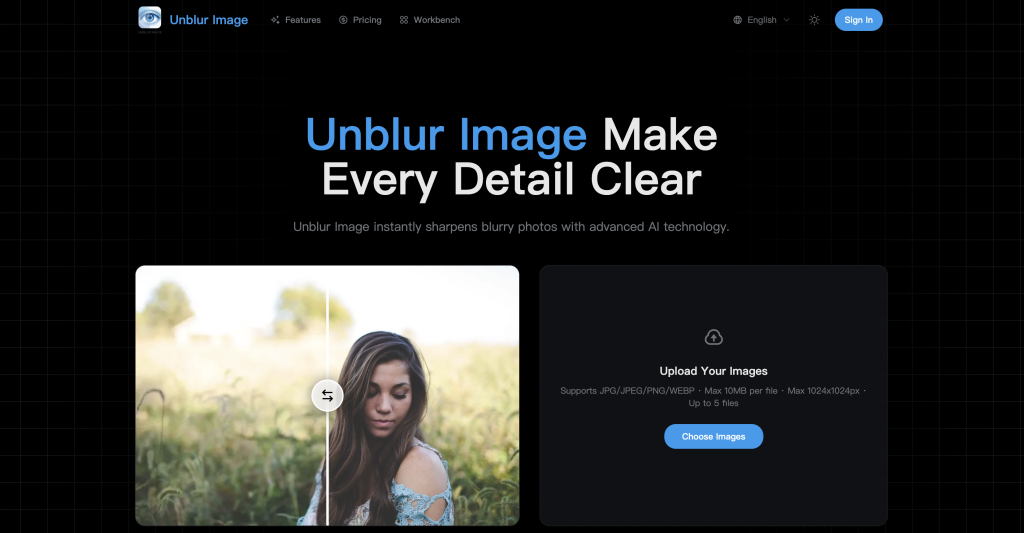

Fix blurry photos in seconds with AI.
Unblur Image enhances image clarity and restores lost details with simple 2× and 4× upscaling.
Try it for free, upgrade when you need more.
Key Points :
What Exactly Is This Tool?
Unblur Image is a browser-based AI tool designed to do one thing: take a fuzzy, low-quality image and sharpen it.
Unlike old-school sharpening tools (which just increased contrast around edges), this tool uses Generative AI. It looks at the blurry blobs of pixels, guesses what should be there based on millions of training images, and reconstructs the details.
It promises to fix:
- Motion blur (camera shake).
- Out-of-focus shots.
- Low-resolution artifacts (pixelation).
But does it actually work? I grabbed three “ruined” photos to find out.
Test #1: The Out-of-Focus Portrait (The “Soft” Face)
This is the most common problem. You missed the focus by an inch, and the eyes are soft.
The Process:
I uploaded a photo of a friend where the camera focused on the ear instead of the eyes. The interface was simple—drag, drop, and wait about 10 seconds.
Related Posts
The Results:
Honest opinion? I was impressed.
The AI latched onto the facial features immediately. It didn’t just sharpen the blur; it reconstructed the eyelashes and the texture of the iris.
The Catch:
It creates what I call the “Glamour Glow.” The skin looked a little too perfect, almost like a high-end beauty filter. If you want a gritty, natural look, you might find it a bit plastic. But for saving a memory? It’s a win.
Test #2: The Blurry Screenshot (Text Clarity)
I often screenshot recipes or documents, and sometimes they end up unreadable.
The Process:
I uploaded a low-res screenshot of a text document that was heavily pixelated.
The Results:
This was a mixed bag. The tool successfully sharpened the edges of the font, making the text high-contrast and readable.
However, you have to be careful. Because this is AI, it sometimes “hallucinates.” On a really blurry word, the AI guessed the wrong letters. It turned a blurry “E” into an “F”.
My Advice: Use it to make text readable, but don’t trust it for legal documents or medical prescriptions where accuracy is life-or-death.
Test #3: The Old Family Photo (Restoration)
Finally, I tried a scanned photo from the 1980s. It wasn’t blurry, just small and grainy.
The Results:
This is where Unblur Image shines. It acts as an upscaler. It took the small, grainy 4×6 scan and blew it up to a crisp digital image. It smoothed out the film grain and defined the edges of the clothing and background.
How to Get the Best Results (My “Power User” Tips)
After playing with this for an hour, I found a few tricks to get better images:
- Don’t Overdo It: If the original image is a total blur (unrecognizable), no AI can save it. It needs some detail to work with.
- Faces First: This tool is optimized for human faces. It works much better on portraits than on landscapes or pictures of pets.
- Check the Eyes: Always zoom in on the eyes after processing. If the pupils look weird or misshapen, the photo will look uncanny to everyone else.
Is It Safe? (Privacy Check)
I checked the site’s policy. Since it is a web-based tool, you are uploading your photos to their server to be processed.
While standard for these tools, I would not upload sensitive personal data (like ID cards, financial documents, or compromising photos). For vacation pics and selfies? You’re fine. But keep your private data private.
So, What’s the Bottom Line?
Unblur Image is a fantastic tool to keep in your digital back pocket. It isn’t a miracle worker—it can’t turn a grey smudge into a 4K masterpiece—but for the everyday annoyances of slight blur and low resolution, it is incredibly effective.
My Final Verdict:
If you have a photo of a loved one that you love emotionally but hate technically because it’s blurry, give this a shot. It takes ten seconds, costs nothing, and might just save the memory.
Have you tried saving a blurry photo with AI? Did it look real or fake? Let me know your experience in the comments below!
 Login with Google