
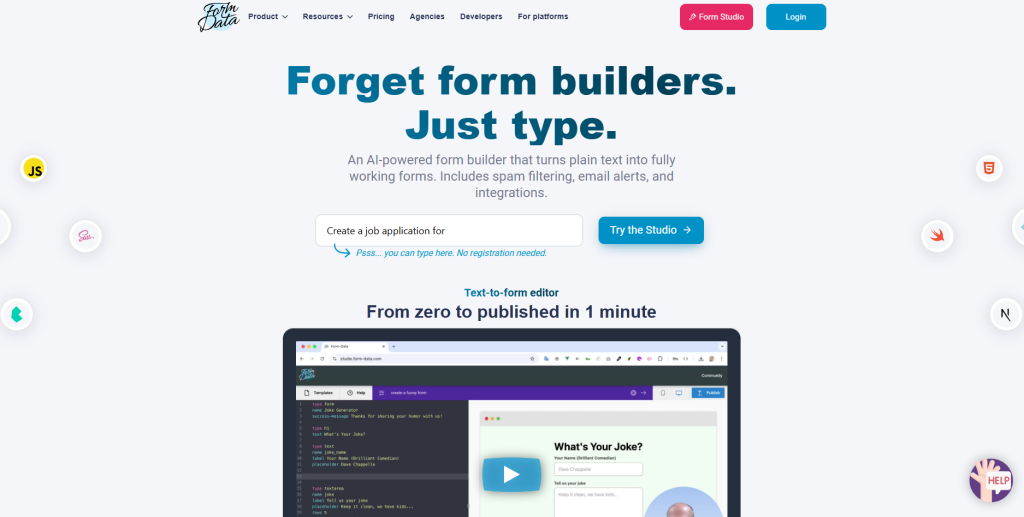

Form-Data is an AI-powered form builder that instantly turns plain text into fully functional, spam-protected forms with email alerts and easy integrations—no coding or registration required.
Form-Data is a backend for your forms. It allows you to collect form submissions from your static HTML forms.
You can build your forms in any technology stack that you choose – from plain HTML through React, Vue, Svelte, and all the way to any site builder such as WordPress and Webflow. It will handle the submissions.
Form Data is a simple, user-friendly tool that can handle surprisingly complex requirements. Its developer is highly responsive to feature requests and its plans are very generous. I highly recommend it for developers looking to add form submissions to their JAMStack sites.I highly recommend Form-Data as a third-party form service to integrate with Webflow. Its founder provided me instant, expert, and generous tech support the moment I needed it. I could not have had a better experience
Key Points :
What Is FormData.com (and What It Isn’t)?
Before I dive into my test, let’s clear something up. If you’re a developer, the term FormData probably makes you think of the standard FormData Web API used for sending form data from the browser.
This is not that.
FormData.com is a separate, commercial AI tool. Its entire job is to take your description of a form and write the front-end code for it. You type what you want, and it spits out a fully functional component in your chosen framework.
Related Posts
It’s built for front-end developers, full-stack engineers, and even product managers who are comfortable working with code. The goal isn’t to create a no-code form builder like Typeform; it’s to eliminate the soul-crushing boilerplate of creating forms in code.
The Step-by-Step Process: From a Messy Prompt to Working Code
I signed up for a free account and got straight to it. The interface is dead simple: a big text box for your prompt and a preview window.
Step 1: Writing My First Prompt (and the immediate “wow” moment)
I didn’t overthink it. I just typed out what I wanted, almost like I was writing a to-do list for myself.
I hit “Generate,” and about 10 seconds later, a form appeared. It wasn’t perfect, but it was shockingly close. It correctly identified every single field type, including the disabled email input and the toggle switches. That first moment was a genuine “whoa” for me.
Step 2: The First Generation and My Initial Reaction
The AI created a clean, single-column form with all the right inputs. It defaulted to using React with standard HTML elements.
Step 3: Refining the Form with Follow-up Prompts
This is where the magic really is. Instead of editing the original prompt, you can just type new instructions to tweak the result.
First, I wanted to fix the layout. My prompt:
“Put the First Name and Last Name fields on the same row”
Instantly, the preview updated. The two fields were now side-by-side in a flexbox container. Nice.
Next, I wanted to use a more modern component library. I noticed a dropdown that let me select from different libraries. I’m a big fan of shadcn/ui, so I selected that and it regenerated the entire form using those components. This was amazing.
Finally, I added some validation:
“Make the first name, last name, and username fields required.”
The AI updated the form again, adding the necessary validation logic and visual indicators.
Step 4: Exporting the Code and Checking It Out
Once I was happy with the preview, I clicked the “Copy Code” button. I pasted it into VS Code to see what I was really working with.
I was impressed. The code was clean, used standard React useState hooks for state management, and was perfectly readable. It wasn’t some obfuscated, messy junk. It was code that I would have written myself… it just saved me the 15-20 minutes of typing it all out.
Where FormData.com Shines (and Where It Stumbles)
No tool is perfect, right? Here’s my honest breakdown.
The Good Stuff
- Insane Speed: This is its killer feature. It takes the most boring part of your job and automates it.
- Reduces “Typing” Errors: No more forgetting a </label> or misspelling a prop. The baseline code is correct.
- Great for Prototyping: You can mock up a complex form and have working code for it in minutes. It’s fantastic for getting ideas out of your head and onto the screen.
- Modern Library Support: The inclusion of shadcn/ui and Tailwind shows they are focused on how modern developers actually build apps.
The Not-So-Good Stuff
- Struggles with Complex Layouts: While it handled my two-column request, asking for intricate, nested grid layouts is probably a stretch. You’ll need to handle the fine-tuning of CSS yourself.
- Not a Replacement for Knowing How to Code: If you don’t understand the React or Vue code it generates, you’ll be in trouble when you need to modify it or hook it up to an API. It’s a tool for developers, not a replacement for them.
A Quick Look at Pricing: Is the Free Tier Enough?
They have a free tier that gives you a certain number of form generations per month. For my testing, the free tier was more than enough to build a few components and see the value. If you’re a freelance developer or part of a team building forms constantly, the paid plan with unlimited generations would likely pay for itself in a single day of saved work.
So, What’s the Bottom Line? Should You Use FormData AI?
Yes, absolutely.
I went in skeptical and came out a believer. FormData.com isn’t going to build your entire application for you, but it’s not supposed to. It’s a specialized tool that does one thing exceptionally well: it eliminates the tedious, repetitive work of building web forms.
It’s now one of the first things I’ll reach for when starting a new component that has more than two input fields. It gets me 90% of the way there in 10% of the time, and the code it produces is a great foundation to build on. It’s a fantastic example of AI that doesn’t try to replace you, but instead acts as a brilliant assistant. 🙂
Have you tried FormData.com or any other AI coding tools? I’d love to hear about your experience in the comments below
 Login with Google