

Key Points :
What is MDZ.AI and Why Should You Bother?
You’ve likely seen AI-generated images online, from artistic landscapes to lifelike portraits. MDZ.AI is a service that harnesses this technology for a specific purpose: to create professional and creative photos of you.[1]
It’s Not Magic, It’s AI (The Simple Version)
Essentially, you “train” the AI to recognize your appearance by uploading a collection of your own photos. The AI then analyzes your facial features from various angles and in different lighting conditions. Once the training is complete, you can generate entirely new, original images of yourself in a range of styles, such as “corporate headshot” or “cinematic.”
Who is This Tool Really For?
While anyone can experiment with MDZ.AI, it’s particularly useful for:
- Job Seekers: A polished and professional LinkedIn profile picture can make a significant difference.
- Entrepreneurs & Consultants: This tool helps you maintain a consistent and professional brand image across your platforms.
- Remote Workers: For those without access to company-sponsored headshot days, this is an excellent alternative.
- Creatives: A great way to generate unique profile pictures for social media or portfolios.
My Mission: Getting the Perfect LinkedIn Headshot with MDZ.AI
My objective was straightforward: to obtain a clean, professional, and realistic headshot for my LinkedIn profile. Here’s a step-by-step breakdown of my experience.
Step 1: Choosing the Right Plan
First, I had to select a plan. MDZ.AI offers a few different options, including a free tier with limited usage.[2] For this project, I opted for a paid plan to access the full range of features and generate a larger number of images. For a one-time need like a headshot, the entry-level paid package is typically sufficient.
Related Posts
Step 2: The Most Crucial Part – Selecting Your Input Photos
I can’t emphasize this enough: the photos you upload will determine the quality of your results. The AI is powerful, but it’s not a mind reader. It can only work with the information you provide.
The “Good Photo” Checklist
After some experimentation, I developed a checklist for what constitutes a “good” photo for the AI:
- Recent: Use photos from the last year or two.
- High-Quality: Avoid blurry, grainy, or heavily compressed images.
- Solo Shots: Only include photos of yourself.
- Variety is Essential:
- Angles: Include photos from the front, side, and three-quarter views.
- Expressions: Use a mix of smiling and neutral expressions.
- Lighting: Provide photos taken in different lighting conditions, both indoors and outdoors.
- No Obstructions: Avoid sunglasses, hats, or anything else that covers your face.
Photos I Used That Yielded Great Results
My best outcomes came from a combination of simple selfies taken in front of a well-lit window and a few photos taken by others outdoors on a clear day.
The Photos That Confused the AI (And Why)
My initial results were a bit off. I realized it was because I had included a photo of myself wearing sunglasses and another from a dimly lit room. Once I removed these, the quality of the generated images improved significantly.
Step 3: Training the AI and Selecting My Styles
After uploading about 15 high-quality photos, I initiated the training process. This step requires some patience. MDZ.AI will notify you via email when the training is complete, which took a couple of hours in my case.
Once the AI had learned my facial features, I could start generating photos. For my professional headshot, I focused on styles that sounded appropriate, such as “Corporate Headshot” and “Office Setting.”
Key Features:
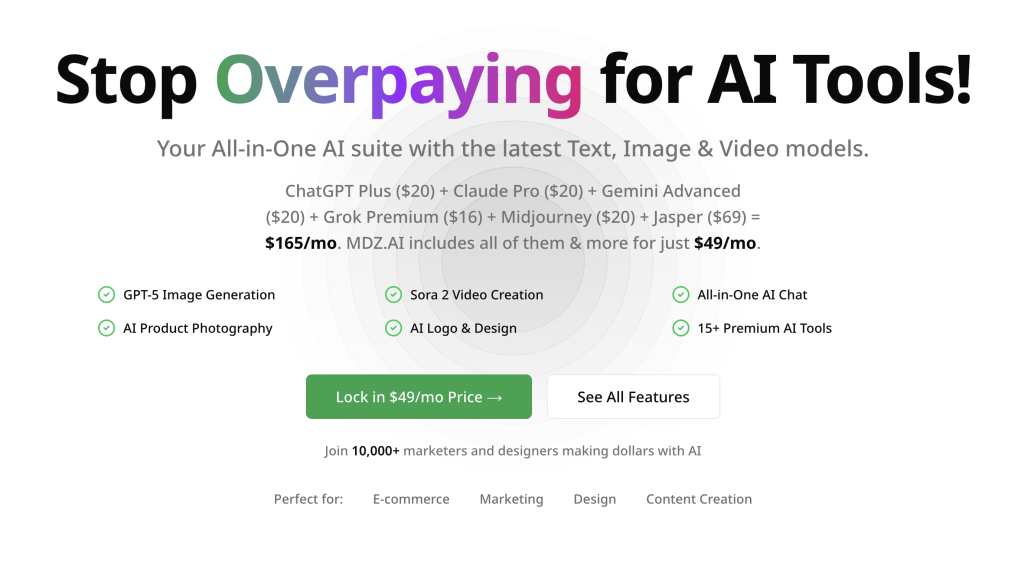
- GPT-5 Integration – Advanced language model for content creation and analysis
- Sora 2 Video Generation – Create professional videos from text descriptions
- AI Product Photography – Generate high-quality product images for e-commerce
- Logo Design Studio – Professional logo creation with AI assistance
- Background Removal – Instant background removal and replacement
- Image Upscaling – Enhance image resolution and quality
- Face Swap Technology – Advanced face replacement for creative projects
- AI Headshot Generator – Professional headshots in minutes
Target Users:
MDZ.AI is specifically designed for e-commerce sellers, digital marketers, content creators, and designers who need reliable AI capabilities for their daily workflows.
Pricing:
The platform offers a free tier for testing, Pro subscription at $49/month, and a lifetime access option at $1,999. This represents significant savings compared to subscribing to multiple AI services separately.
My Final Verdict: Can MDZ.AI Replace a Photographer?
So, what’s the bottom line?
Who It’s Perfect For:
If you’re a professional, job seeker, or entrepreneur who needs a high-quality headshot quickly and affordably, MDZ.AI is an excellent solution.
Who Should Still Hire a Photographer:
If you require a full branding photoshoot with multiple outfits, specific locations, and a highly collaborative creative process, a professional photographer is still the best choice.
For my goal of getting a great LinkedIn headshot, MDZ.AI was a resounding success. It was fast, cost-effective, and the results exceeded my expectations. My single most important piece of advice is to be patient and invest the time to select high-quality input photos. It will make all the difference.
What AI tools have you tried for headshots? Share your experiences in the comments below
 Login with Google