
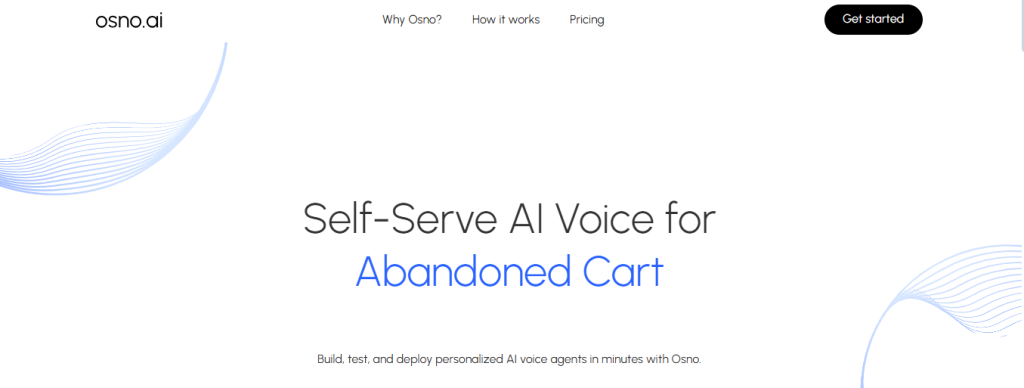

Looking to automate high-volume voice interactions, such as lead qualification, cart recovery, or post-sale feedback, without relying on engineering support or platform complexity? Osno.ai is a self-serve AI voice automation platform that lets you build, test, and launch production-ready voice agents in minutes. With human-like voices, fast deployment, and a no-code interface, Osno helps teams scale conversations that convert.
Trained on insights from over 500 million past interactions and optimised for sales outcomes, Osno’s AI voice agents connect with 90%+ of leads, handle multilingual flows with ease, and integrate directly into your CRM or customer pipeline. Whether it’s appointment booking, renewals, collections, or abandoned cart recovery, Osno helps you drive results at scale without writing a single line of code.
Contact Centre AI
Lead Engagement & Automation
Voice-Based Sales & Retention Tools
No-Code AI Platform
Launched: 2024
Visit Website: https://www.osno.ai
What are the main features of Osno.ai?
AI Voice Agents That Drive Outcomes
Osno’s voice agents are designed for performance, not just conversation. They sound natural, understand user intent, and guide prospects through high-converting flows across the funnel.
AI Voice Agents That Drive Outcomes
Easily connect your existing CRM and customer systems. Osno becomes a native part of your outreach workflows in minutes.
90%+ Lead Connectivity
Reach more users with system-driven follow-ups, optimised call scheduling, and spam-free verified numbers.
Real-Time Analytics & Insights
Track every call’s performance with actionable metrics—Optimise scripts, voice tone, timing, and more—all without developer help.
Ready-to-Use Templates
Choose from pre-built workflows for use cases like:
Lead qualification
Related Posts
Abandoned cart recovery
Feedback collection
Renewal reminders
Collections and follow-ups
Hyper-Personalised Workflows (Coming Soon)
Powered by half a billion past interactions, Osno will dynamically choose the best script, voice, language, time, and channel for each user, maximising engagement.
Human-Like Conversations
Use 5+ ultra-natural voice types with brilliant interruption handling, <700ms latency, and multilingual switching in real-time.
No-Code Deployment
Launch agents instantly with Osno’s drag-and-drop builder—no coding or engineering support needed.
Built-In Security & Compliance
End-to-end encryption, strict access controls, and privacy-first design for enterprise-grade data protection.
Who is it for?
Osno.ai is built for growth teams, marketers, product owners, and CX leaders who want to scale and automate voice touchpoints quickly and efficiently.
Perfect for:
D2C & E-commerce brands
EdTech & HealthTech platforms
SaaS and subscription-based services
CX, Retention, and Sales Enablement teams
Startups and scale-ups needing instant deployment
Pricing
Simple usage-based pricing:
₹4 per connected minute
No platform fees
No lock-ins or commitments
Start free and pay only for what you use.
Key Points :
What Is Osno.ai and How Does It Work?
Think of Osno.ai as a virtual photo studio. You’re not the model, and there’s no human photographer. Instead, you “train” an AI model by feeding it a bunch of existing photos of yourself.
Here’s the 30-second explanation:
- You upload photos: You give the AI a collection of your selfies and other pictures.
- The AI studies you: It analyzes your facial features—your eyes, nose, smile, hair—from all the different angles you provided.
- It creates new images: The AI then generates brand new, studio-quality photographs of you in various outfits, settings, and lighting conditions that you choose from their style catalog.
The core promise is to give you the results of a professional photoshoot without you ever having to leave your desk. A bold claim, so I had to see for myself.
Putting Osno.ai Through Its Paces
I went through the entire process from start to finish. Here’s exactly how I did it and what I learned at each step.
Step 1: Choosing the Right Plan (And What You Actually Get)
Osno.ai has a few different packages. I didn’t need a massive number of photos, just a few solid options for my professional profiles. The Pro plan for $15 seemed like the perfect sweet spot.
For that price, it offered:
- 100 AI Headshots
- 8 Unique Styles
- 1 Hour Turnaround Time (this was a big plus)
- Commercial License (meaning I can use them anywhere)
It’s a one-time payment, which I much prefer over the subscription models I’ve seen on other AI sites.
[EVIDENCE SHOT: A screenshot of the Osno.ai pricing page with the $15 Pro plan highlighted and a circle around the “100 AI Headshots” feature.]
Step 2: The Most Important Part – Uploading Your Photos
This is where you can make or break your results. The site asks for 6-30 photos. I decided to upload 12 to be safe. My goal was to give the AI a complete picture of my face.
After some trial and error, I figured out the formula.
The “Do’s”: Photos That Gave Me the Best Results
- Variety of Angles: I included photos looking straight on, three-quarter turns, and slight side profiles.
- Different Expressions: A mix of smiling (with and without teeth) and neutral, serious expressions is key.
- Good, Clear Lighting: Photos taken facing a window worked best. Avoid harsh shadows.
- Just Your Face: The AI only needs your face and shoulders. I cropped my photos to make sure my face was the main event.
The “Don’ts”: Photos That Messed Up the AI
- Sunglasses or Hats: The AI needs to see your eyes and hair clearly. I left these out.
- Group Photos: Don’t make the AI guess which one is you.
- Heavy Filters: Instagram or Snapchat filters will confuse the AI and give you weird, cartoonish results.
- Blurry or Distant Shots: If you can’t see your own facial features clearly, neither can the AI.
Here’s a look at some of the actual photos I uploaded. You can see the variety I was going for.
[EVIDENCE SHOT: A 2×3 grid of 6 of my original input photos. Three are labeled “Good” with captions like “Clear face, good light” and “Good side angle.” The other three are labeled “Bad” with captions like “Avoid: Sunglasses,” “Too blurry,” and “Weird shadows.”]
Step 3: Picking My Styles
Once my photos were uploaded, it was time for the fun part. Osno.ai presents you with a catalog of styles. Since I was focused on a LinkedIn picture, I mostly chose professional options.
I picked a mix that included:
- Corporate (dark suit)
- Corporate (light suit)
- Office
- Outdoors (for a more casual, friendly vibe)
I threw in a few others just to see what the AI could do. You simply click to select the 8 styles you want.
[EVIDENCE SHOT: A screenshot of the style selection screen in Osno.ai. Several “Corporate” and “Office” styles are shown with checkmarks on them.]
After confirming my styles, the waiting game began. Osno.ai said it would take about an hour, so I closed the tab and set a timer.
The Moment of Truth: The Results Are In
I got an email notification in about 45 minutes—sooner than promised! I clicked the link and held my breath.
And honestly? I was pretty impressed.
The Good: These Actually Look Like Me (And Professional!)
The majority of the headshots were genuinely good. The AI did an excellent job of capturing my likeness while placing me in a clean, professional setting. The lighting was great, the clothes looked natural, and most importantly, the eyes looked real. This is often the biggest failure point for AI generators, but Osno.ai nailed it for the most part.
Key Questions I Had (and Now Have Answers For)
- How long does Osno.ai take?
My results came back in 45 minutes, which was even faster than the advertised one hour. - Is it realistic enough for LinkedIn?
100% yes. The best results are indistinguishable from a real photoshoot, as long as you provide good input photos. No one would ever guess my profile picture is AI-generated. - Can I get a refund if I hate the results?
According to their FAQ, they offer a money-back guarantee if the process fails or the results are truly unusable. This gave me some peace of mind before paying. - Is Osno.ai better than competitors like Aragon or Secta?
I’ve looked into others, and while they all work similarly, I found Osno.ai’s user interface to be incredibly simple and their one-time payment model is a huge win for me. Some others push subscriptions, which I don’t need for a one-off headshot update.
My Final Verdict: Is Osno.ai Worth Your Money?
So, what’s the bottom line? For $15, Osno.ai over-delivered. I avoided the headache of scheduling a photoshoot and got a dozen high-quality, professional images I can use across all my profiles.
Who It’s Perfect For…
- Job Seekers who need a polished look for their resume and LinkedIn.
- Entrepreneurs and Consultants who want to project a professional image on their website.
- Anyone who needs a headshot update fast and on a serious budget.
…And Who Should Probably Skip It.
- Large Corporate Teams that need perfectly uniform headshots for everyone. A real photographer is better for that kind of consistency.
- People Unwilling to Curate Their Input Photos. If you just upload a few random, low-quality pics, you will be disappointed. The AI isn’t a miracle worker; it’s a tool that needs good material to work with.
For me, it was a fantastic solution. I got exactly what I needed for a fraction of the traditional cost and effort.
Have you tried Osno.ai or another AI headshot generator? I’d love to hear how it went for you—share your experience in the comments below
 Login with Google