
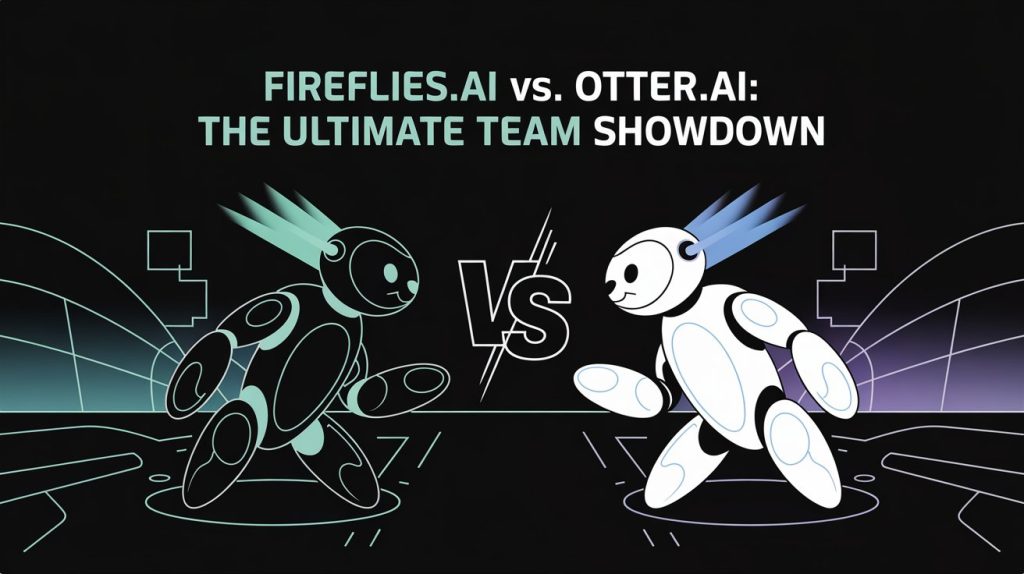
I’ve been on a mission lately to cut down on the soul-sucking chore of meeting notes. You know the drill: you’re trying to actively participate, listen, and contribute, but in the back of your mind, you’re also frantically typing, hoping you didn’t miss that crucial action item or a key decision point. It’s exhausting, right? That’s exactly why I decided to dive deep into the world of AI meeting assistants, specifically putting Fireflies.ai and Otter.ai head-to-head. My goal wasn’t just to list features; I wanted to see which one actually made my team more productive and less stressed.
Key Takeaways: My Quick Verdict
- Best for Comprehensive Team Workflow & Customization: Fireflies.ai (Its robust integrations, customizable AI apps, and strong summary features really won me over for complex team needs.)
- Best for Real-time Transcription & Quick Personal Notes: Otter.ai (If live transcription and immediate in-meeting highlights are your top priority, Otter shines.)
- My Key Tip: Don’t just pick one based on price. Consider your team’s specific meeting types and required outputs. What kind of summary do you need? How noisy are your meetings? That’s the real differentiator.
Why I Even Bothered Testing AI Meeting Assistants (My Problem Statement)
My team, like many, lives in a perpetual cycle of meetings. Internal stand-ups, client discovery calls, brainstorming sessions, project reviews—they’re all essential, but the overhead of documenting everything was crushing us. I mean, who enjoys typing up meeting minutes after an hour-long discussion? Not me, that’s for sure.
The Endless Meeting Cycle (and My Note-Taking Frustration)
For too long, we relied on one person taking diligent notes, often sacrificing their participation to get every detail down. Or, worse, we’d take vague notes, only to realize later we missed something important. It was a constant source of “wait, who was supposed to do that?” and “can someone remind me what we decided?” Sound familiar? My biggest frustration was how much time we lost trying to recall or recreate information that should have been captured clearly the first time.
What I Really Needed (Beyond Just Transcriptions)
I wasn’t just looking for a tool to turn speech into text. We needed something that could:
- Accurately transcribe diverse voices and sometimes technical jargon.
- Intelligently summarize discussions, pulling out key decisions and action items.
- Integrate seamlessly with our project management and CRM tools.
- Be easy for the entire team to use and adopt, without a steep learning curve.
- Handle the reality of virtual meetings, from Zoom calls to Google Meets.
- Be mindful of data privacy, especially with client discussions.
Getting Started: My First Impressions & Setup Snafus
Setting up any new tool for a team can be a bit of a hurdle. I tried to approach this like a typical team member, walking through the initial setup for both Fireflies.ai and Otter.ai.
Welcoming Fireflies.ai to the Team (The Bot Experience)
Getting Fireflies.ai into our meetings was pretty straightforward. I connected it to my Google Calendar, and boom, it was ready to join. For scheduled meetings, it popped in as “Fireflies.ai Notetaker” right on time. This bot joining felt a little less intrusive than I expected, likely because it’s clearly labeled.

The nice thing is that you can control when and where it joins. I set it up to only join meetings where I was the host or if I explicitly invited it. After a meeting, Fireflies sent me (and other attendees, if I configured it to) an email with a link to the transcript and summary.
Inviting Otter.ai to the Party (Navigating Permissions & Default Settings)
Otter.ai also offers a bot, “OtterPilot,” that can automatically join scheduled meetings. I linked it to my calendar, and it too was pretty easy to get going. However, I quickly noticed something that Reddit threads had warned me about: Otter.ai can be a bit more aggressive in its default sharing. By default, it might notify all participants and even share transcripts broadly, which can feel a little spammy or even raise privacy flags if not managed carefully.
It was a stark reminder that I needed to dive into the settings immediately to ensure proper consent and sharing configurations. For teams dealing with sensitive client information, this is a huge deal to get right from the start.
Initial Setup Experience: My “Aha!” Moments and Head-Scratchers
Fireflies.ai: I loved the granular control I had over which meetings it joined and who received the summaries. This felt more “team-friendly” out of the box, as I could prevent unnecessary notifications to external clients. The custom “AI Apps” for defining summary templates were an “aha!” moment for how tailored the output could be.
Otter.ai: My biggest head-scratcher was definitely the default sharing settings. I had to consciously adjust them to be more restrictive, which added an extra step to setup that I didn’t initially anticipate. The real-time transcription, though, was an instant “wow” factor, letting me follow along as the meeting progressed.
The Core Battle: Transcription Accuracy & Speaker Identification (The Real Deal)
This is where the rubber meets the road. A meeting assistant is only as good as its transcription. I ran both tools through a gauntlet of scenarios.
My Test Scenario: Noisy Brainstorms & Accented Speakers
I intentionally tested both Fireflies.ai and Otter.ai in:
- Our weekly internal brainstorming session: About 5-6 people, often talking over each other, with various regional accents. We used a mix of casual language and some technical jargon.
- A client discovery call: Three people, clear audio, but with specific industry terms that AI might struggle with.
- A quick stand-up: Four people, fast-paced, with one team member who has a slightly heavier accent.
Who Got It Right? (My Verdict on Accuracy)
After reviewing transcripts from several meetings, I found that Fireflies.ai consistently delivered more accurate transcriptions, especially in challenging environments like our brainstorming sessions. When multiple people were talking or when our team member with a heavier accent spoke, Fireflies seemed to handle the overlap and intonation better, resulting in fewer garbled lines.

Otter.ai was good, but it sometimes struggled more with distinguishing speakers when voices overlapped, and some of its word choices in our jargon-heavy calls were just a bit off. One specific instance, in our brainstorming session, Otter misheard “deployments” as “deployments.” It was close, but Fireflies got it exactly right.
Speaker Differentiation: Did They Know Who Was Talking?
This goes hand-in-hand with accuracy. Both tools attempt speaker identification, but Fireflies.ai was noticeably better at correctly attributing speech to different participants, even in our more chaotic meetings. Otter.ai sometimes mixed up speakers or attributed a segment to a generic “Speaker X” more often. For a team trying to track who said what, this difference is crucial.
AI Summaries & Insights: Beyond Raw Text
Raw transcripts are great, but the real power of these tools comes from their ability to distill information.
Fireflies.ai’s “Smart Summaries” (What Fred Actually Delivers)
Fireflies.ai’s “Smart Summaries” were impressive. Within minutes of a meeting ending, I’d get a summary broken down by topics, action items, and even sentiment analysis (on paid plans). The platform’s AI, which they call “Fred,” would highlight key questions, tasks, and decisions, making it super easy to scan and pull out what mattered.

This was a game-changer for me. Fireflies has these “AI Apps” that allow you to customize how your meeting notes are generated. For example, I created an “AI App” to specifically pull out all action items and format them as a checklist, ready to be dropped into Asana. This level of customization meant I wasn’t just getting a summary; I was getting the exact summary my team needed for our workflow.
Otter.ai’s “AI Chat” & Summarization (More Than Just a Recap?)
Otter.ai also provides summaries and has an “AI Chat” feature where you can ask questions about the meeting. The summaries were generally good for a quick recap, focusing on key points and a basic outline. However, I found them to be less detailed and less customizable than Fireflies’ outputs.
I tried asking Otter’s AI chat specific questions like “What were the main blockers discussed?” or “Who is responsible for following up on the client proposal?” It worked, but I noticed the responses were sometimes less nuanced than I’d hoped. One time, it provided a somewhat generic answer that didn’t quite capture the specific context of our discussion. It felt more like a quick search of the transcript than truly intelligent synthesis, especially compared to Fireflies’ more structured approach.
What I Needed, What I Got (Comparing Summary Quality for Actionability)
The bottom line here is actionability. Fireflies.ai’s summaries and custom AI apps made it incredibly easy for me to immediately identify next steps and assign tasks. Otter.ai’s summaries, while decent for a quick overview, required more manual effort from my end to translate into actionable tasks for my team. If your team relies heavily on structured action items and clear takeaways, Fireflies definitely had the edge.
Integrations & Workflow: Playing Nice with My Tools
A tool isn’t truly helpful unless it integrates with your existing workflow. Both Fireflies.ai and Otter.ai offer integrations, but I found significant differences in their breadth and depth.
Fireflies.ai’s Connected Ecosystem (CRM, Project Management, & Beyond)
Fireflies.ai boasts a much wider range of integrations. I was able to connect it directly to our CRM (HubSpot), our project management tool (Asana), and even our Slack channels. This meant that once a meeting ended, the transcript and summary could automatically be pushed to the relevant client record in HubSpot or create a task in Asana. This saved me precious minutes and ensured no information fell through the cracks.

Otter.ai’s Integration Story (Getting the Basics Done)
Otter.ai has integrations with popular platforms like Zoom, Google Meet, and Slack, which are certainly helpful for getting the transcript into familiar places. However, I found its integrations to be more focused on basic data pushes rather than deep workflow solutions. For example, while it could send a summary to Slack, it didn’t have the same robust, customizable options for creating specific tasks or updating CRM records that Fireflies offered.
How They Fit Into My Team’s Day (Practical Application)
For my team, where we use a variety of tools to manage projects and client interactions, Fireflies.ai’s deeper integrations were a massive time-saver. It minimized the “swivel chair” effect of jumping between apps and manually copying information. Otter.ai was fine for getting the transcript somewhere, but the actionable follow-through still required more manual intervention.
Pricing & Free Tiers: What’s the Real Cost for a Team?
No one wants to break the bank, so pricing is a critical factor, especially for teams. Both offer free tiers, but their limitations are important.
Fireflies.ai’s Free Plan vs. Paid Tiers (My Value Assessment)
Fireflies.ai’s free tier is quite generous. It allows you to record unlimited meetings and gives you 800 minutes of storage per seat, with basic AI summaries. This is fantastic for individuals or very small teams just getting started. When I moved to a paid plan (Pro or Business), I unlocked advanced features like custom AI apps, sentiment analysis, and deeper integrations, which for my team, proved to be well worth the investment given the productivity gains. Their Pro plan starts around $10/user/month when billed annually.
Otter.ai’s Free Plan vs. Paid Tiers (Where the Limits Hit Hardest)
Otter.ai’s basic free plan gives you 300 minutes of transcription per month, but with a hard 30-minute limit per meeting. This was a significant drawback for my team, as many of our important meetings run longer than 30 minutes, meaning the transcription would simply cut off. For shorter huddles, it’s fine, but for anything substantial, I found myself constantly bumping into this limit. Their paid plans start around $8.33/user/month (billed annually) for their Pro plan, with team plans costing more.
The Hidden Costs (or Unexpected Wins) for Teams
The “hidden cost” with Otter.ai’s free plan was the frustration of hitting that 30-minute wall. It forced me to either upgrade sooner or find workarounds, which defeated the purpose of automation. Fireflies.ai’s “unlimited meetings” with a storage cap felt more forgiving and allowed my team to truly test its capabilities without constantly worrying about hitting a time limit during a critical discussion.

Data Privacy & Security: Who’s Listening to My Sensitive Meetings?
This is a non-negotiable for my team, especially when discussing client information. Both tools understand this, but I wanted to dig into the details.
Understanding Their Policies (What I Digged Up)
Both Fireflies.ai and Otter.ai have robust security measures, including data encryption and compliance with various privacy regulations. I checked their privacy policies, and they generally state that they don’t sell your data and use it only to provide and improve their services. However, it’s always worth reading the fine print, especially regarding data retention and processing.
Managing Consent (The “Bot Joining” Dilemma)
This is where the user experience aspect comes in. As mentioned earlier, Otter.ai’s default behavior for its bot joining meetings felt a bit more intrusive, leading to some participants being surprised or even annoyed by the uninvited “guest” and subsequent email notifications.
With Fireflies.ai, I felt I had more control over this. I could easily set it to only join meetings I invited it to, or to require explicit consent before sharing the transcript with attendees. This made it easier to introduce the tool to new clients or team members without raising privacy concerns. Always, always communicate to your meeting participants that an AI assistant will be present.
My Personal Pros and Cons for Each Tool
After several weeks of rigorous testing, here’s my quick rundown:
Fireflies.ai: My Wins & Woes
Wins:
- Superior transcription accuracy, especially with multiple speakers and diverse accents.
- Highly customizable AI summaries and “AI Apps” for action items.
- Extensive and deep integrations with our project management and CRM tools.
- Generous free tier that allowed for proper evaluation.
- Better control over bot joining and sharing settings.
Woes:
- No true real-time transcription in the meeting interface itself (you get the transcript after). This wasn’t a deal-breaker for us, but Otter does offer it.
- The initial dashboard can feel a tiny bit overwhelming with all the options.
Otter.ai: What I Loved & What Drove Me Nuts
Loved:
- Excellent real-time transcription feature that lets you see notes as they happen.
- Simple, clean interface that’s easy to jump into.
- Good for individual users who just need basic transcription.
Drove Me Nuts:
- The 30-minute limit per meeting on the free plan was incredibly restrictive for a team.
- Less accurate speaker identification and more transcription errors in complex audio.
- Basic AI summaries that required more manual work to become truly actionable.
- More limited and less flexible integrations.
- The “viral” bot behavior and default sharing settings raised some eyebrows and required immediate adjustment.
So, Who Wins? My Final Verdict for Teams
Alright, after putting both through their paces, my decision became pretty clear for my team’s needs.
When Fireflies.ai is Your Champion
Choose Fireflies.ai if your team:
- Needs highly accurate transcripts, even with multiple speakers, accents, or technical jargon.
- Requires customizable, intelligent summaries that directly feed into action items and decision tracking.
- Relies on deep integrations with CRM, project management, and other business tools to automate workflows.
- Has longer meetings and needs a free tier that doesn’t cut off mid-discussion.
- Wants fine-grained control over privacy and sharing with meeting participants.
For comprehensive team collaboration, robust automation, and intelligent insights, Fireflies.ai is the clear winner in my book.
When Otter.ai is the Right Fit
Consider Otter.ai if your team (or you as an individual):
- Prioritizes real-time transcription during the meeting itself, for live note-taking and highlighting.
- Primarily needs basic transcriptions and quick recaps for shorter, less complex meetings.
- Has very simple integration needs (e.g., just sending to Slack).
- Is an individual user or a student looking for a straightforward transcription tool, especially for interviews or lectures.

My Key Recommendation for Most Teams
For most teams looking to genuinely boost productivity, streamline workflows, and get truly actionable insights from their meetings, I confidently recommend Fireflies.ai. Its superior accuracy, customizable AI summaries, and extensive integrations mean less manual work and more focus on what actually matters. It transforms raw meeting data into organized, actionable intelligence that drives results.
What’s the Bottom Line?
The world of AI meeting assistants is evolving fast, but for now, Fireflies.ai feels like the more mature and comprehensive solution for teams trying to conquer meeting overload. It’s not just a transcriber; it’s a true assistant that integrates into your team’s unique rhythm. My advice? Don’t settle for just “good enough” transcription. Look for the tool that truly understands your team’s workflow and helps you get more done.
What tools have you tried? Share your results and frustrations in the comments below! I’d love to hear your take.

 Login with Google