
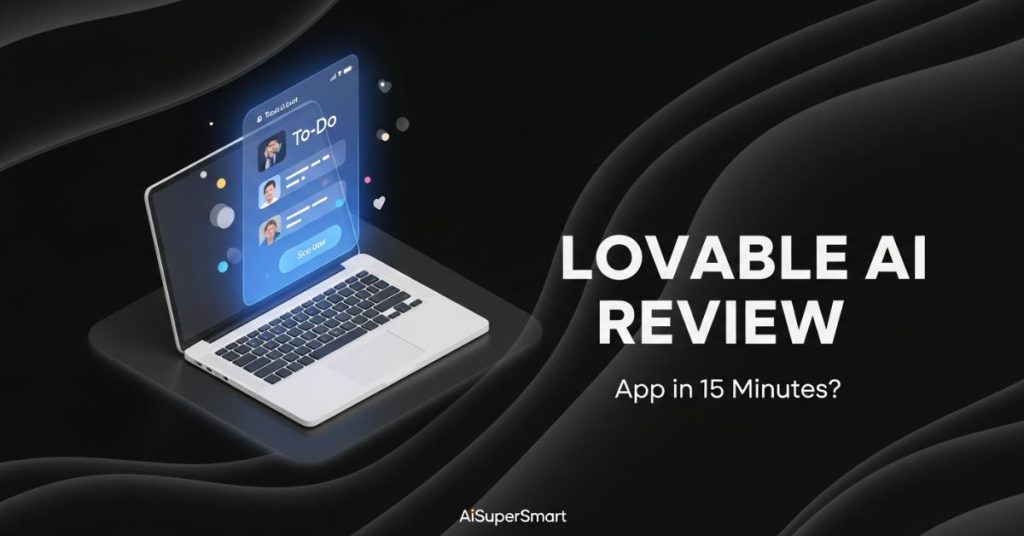
Let’s be real: we are drowning in AI coding tools right now. Between Cursor, v0, and Bolt.new, it’s getting hard to know which one actually works and which one is just a glorified demo.
I’ve been testing all of them to build real web apps, and this week I took Lovable (Lovable.dev) for a spin. My goal? To see if I could build a fully functional Task Dashboard with a database—without writing a single line of React code myself.
The short answer: It’s currently the most polished “idea-to-app” tool on the market. But it has one specific quirk you need to watch out for.
Here is my honest, hands-on review.
🚀 Key Takeaways: The “Too Long; Didn’t Read”
- What is it? A full-stack AI builder (like Bolt.new) that turns text prompts into a deployed React/Supabase app.
- Best Feature: The “Visual Edit” mode. You can click any element to change it, rather than describing it in text.
- The “Gotcha”: It can get confused if you try to change too much backend logic at once. Small steps are key.
- My Verdict: Better UI designs than Bolt, easier backend setup than Cursor.
- Price: Generous Free tier, Pro starts at $20/mo.
First, What Actually Is Lovable?
If you haven’t used it yet, Lovable is part of the new wave of “GPT-to-App” generators. Unlike ChatGPT (which gives you code snippets you have to copy-paste), Lovable runs the code for you in the browser.
You type: “Make me a CRM for my dog walking business.”
Lovable: Writes the code, installs the packages, sets up the database, and gives you a working preview link.
Step 1: The Prompt (And Why Details Matter)
I started with a classic test: A “Pomodoro Timer & To-Do List” app.
Most people fail here because they are too vague. You can’t just say “Make a to-do list.” You need to treat the AI like a junior developer.
Here is the exact prompt I used:
“Create a modern, dark-mode Pomodoro timer on the left and a task list on the right. The timer should have defaults for 25 minutes. The task list needs to allow me to add, delete, and mark tasks as done. Use a clean, green and black color scheme.”

Step 2: The “One-Shot” Result
This is where Lovable shocked me. Usually, tools like v0 give you a static picture (a UI shell) that doesn’t actually work.
Lovable generated the full app in about 45 seconds. But the kicker? The timer actually counted down. The buttons were clickable. The state management was already hooked up.

My Honest Take: The design out-of-the-gate was significantly better than Bolt.new. Bolt tends to give very generic “Bootstrap-looking” sites. Lovable leans heavily into the “shadcn/ui” look, which makes everything look professional instantly.
Step 3: The “Visual Edit” (The Killer Feature)
This is the main reason I’m recommending Lovable over the competitors right now.
In other tools, if you want to change the color of a button, you have to type: “Change the submit button to blue.” Sometimes the AI guesses the wrong button.
Lovable has a feature where you can click the component directly on the preview screen and then tell the AI what to change.
I clicked my “Start Timer” button and typed: “Make this button pulse when the timer is active.”
It worked perfectly on the first try because the AI knew exactly which element I was talking about.

Step 4: Connecting the Backend (The Scary Part)
A pretty interface is useless if it doesn’t save your data. This is usually where “no-code” tools fall apart.
I asked Lovable: “Connect this to a database so my tasks save when I refresh the page.”
Lovable automatically integrates with Supabase.
- It asked me to sign in to Supabase (via a pop-up).
- It created the database tables for me.
- It rewrote the React code to fetch data from that database.
Did it work? Mostly. I ran into one error where the “Row Level Security” (RLS) policies were too strict, meaning I couldn’t write new tasks.
How I fixed it: I simply pasted the error message back into the chat: “I’m getting a 401 error when saving tasks.” Lovable recognized the RLS issue and updated the Supabase policy instantly.

Lovable vs. Bolt vs. Cursor: Which one?
I’ve used all three extensively. Here is how I break it down:
- Use Cursor (Composer) if: You are a developer who wants to work in VS Code and have full control over the codebase.
- Use Bolt.new if: You want speed and are okay with slightly generic designs.
- Use Lovable if: You care about design aesthetics and want the easiest visual editing experience. It feels the most “Apple-like” of the three.
So, What’s the Verdict?
After three days of testing, I’m moving my quick prototyping workflow to Lovable.
The ability to click-and-edit saves so much frustration compared to “chat-only” coding. It’s not perfect—it will still hallucinate if you try to build something massive like a Facebook clone in one go—but for internal tools, SaaS MVPs, and dashboards, it is currently the tool to beat.

My Final Advice: Don’t try to prompt the whole app at once. Build the UI first. Then add the logic. Then add the database. If you do it in layers, Lovable is incredible.
Have you tried Lovable yet, or are you sticking with Bolt? Drop a comment below and let me know which one gave you better code.


 Login with Google