
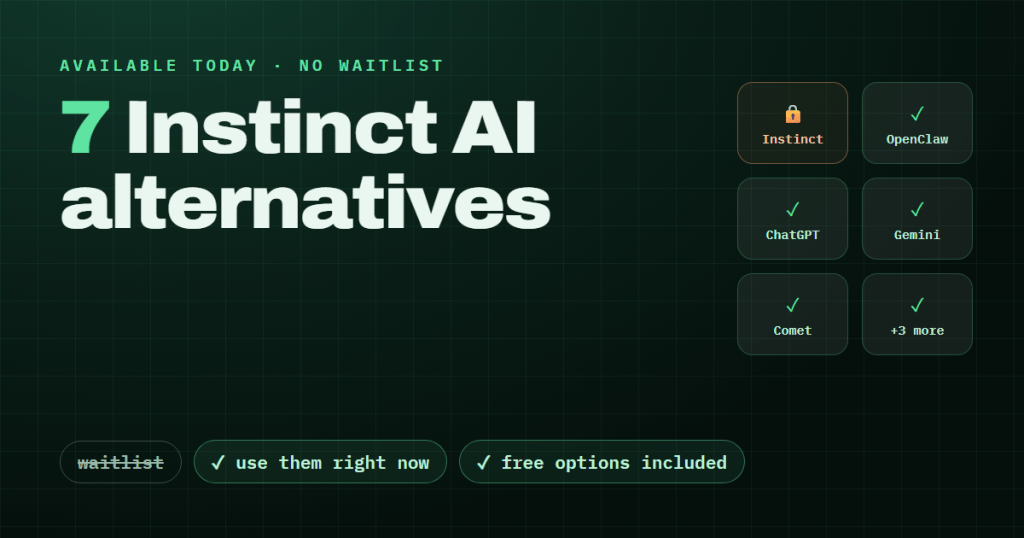
TL;DR: If you can’t get into Instinct, or you don’t want to hand an AI your inbox and saved logins, you have real options today. OpenClaw is the pick for control and privacy, ChatGPT agent mode is the easiest mainstream route, and Perplexity Comet gives you free agentic browsing right now. All seven tools below are available today, no invite required.
There are two kinds of people searching for Instinct AI alternatives right now. The first group joined the waitlist at instinct.co and heard nothing back, because Instinct’s free beta is invite-only and the company has published no timeline for wider access. The second group could probably get in but does not want to.
Some quick context on why. Instinct has no app: it works over iMessage, WhatsApp, and phone calls, and TechCrunch reported on August 26, 2026 that it hit a $2.5 billion valuation after a $250 million Series B co-led by Index Ventures and Benchmark. Two days earlier, a TechCrunch investigation raised privacy questions about its cached-credentials cloud model, which stores your logins so the agent can act on your behalf. We unpack all of that in our full Instinct explainer.
Whichever camp you fall into, every tool below works today.
Table of Contents
ToggleThe 7 alternatives at a glance
| Tool | Best for | Price | Availability | Hosting / data model |
|---|---|---|---|---|
| OpenClaw | Control and privacy | Free software; you pay model API costs | Open source, install today | Self-hosted, local-first, your API keys |
| ChatGPT agent mode | Mainstream ease | Limited free tier; Plus $20/mo | ChatGPT desktop app and Chrome extension | OpenAI cloud |
| Google Gemini | Gmail and Calendar users | Free; paid AI tiers available | Web and mobile | Google cloud |
| Perplexity Comet | Agentic browsing | Free; Pro $20/mo; Max $200/mo | Mac, Windows, iOS, Android | Perplexity cloud |
| Amazon Alexa+ | Voice and smart home | $19.99/mo, or free with Prime | Echo devices and app | Amazon cloud |
| Genspark | Agentic research | Not listed here; verify at genspark.ai | Web | Genspark cloud |
| Hey Noah | Exec-assistant feel, no invite | 30-day free trial; pricing unclear | Sign up today | Cloud |
Full breakdown: see our first look at what Hey Noah actually does.
Related Posts
1. OpenClaw: best for control and privacy
OpenClaw is the privacy inverse of Instinct: it runs on your machine, with your API keys, and your data never sits in someone else’s credential store. It is an open-source, self-hosted personal AI agent created by Peter Steinberger, the founder of PSPDFKit, and it had passed 380,000 GitHub stars in 2026 snapshots.
The reach is the surprising part. OpenClaw connects through 29 channels, including WhatsApp, Telegram, Discord, Slack, Signal, and iMessage, so it feels like texting an assistant, much like Instinct’s pitch. You also bring your own model: Claude, GPT, DeepSeek, Grok, or local models via Ollama. The comparison is not a stretch. Investor Sheel Mohnot described Instinct on X as literally “OpenClaw for normal people.”
Best for: technical users who want an always-on agent without handing credentials to a startup’s cloud.
Pricing: free; you pay only your model API costs.
Honest weakness: setup demands real technical comfort. You need a server or always-on machine and config files, which is the exact opposite of Instinct’s zero-setup pitch. Start with the official docs at docs.openclaw.ai.
2. ChatGPT agent mode: best mainstream option
ChatGPT agent mode is the lowest-friction way to get an agent doing multi-step web tasks today. It is a browser-automation agent built into the ChatGPT desktop app and Chrome extension, from a product most people already have installed.
The design philosophy is a deliberate contrast to Instinct. Where Instinct’s model is act-first authority over your accounts, OpenAI’s agent asks for confirmation before consequential actions like purchases or sending messages. That makes it slower for hands-off automation, but far easier to trust on day one. For most non-technical readers who just want to try an AI agent this weekend, this is the answer.
Best for: anyone who wants agentic help with the least setup and the most familiar interface.
Pricing: limited free tier; Plus at $20/mo lifts the limits.
Honest weakness: it works in task-by-task sessions. It is not a persistent, always-on assistant that remembers your life and pings you over iMessage, which is the core of Instinct’s appeal.
3. Google Gemini: best if you live in Gmail and Google Calendar
Gemini wins if your daily work already runs through Google. No other assistant on this list matches its depth inside Workspace: it drafts and triages email in Gmail, takes calendar actions, and works directly inside Docs.
That means the boring but high-value assistant tasks, like clearing an inbox or moving a meeting, happen where your data already lives. You are not granting a new company access to anything, which partially answers the privacy worry that the TechCrunch investigation raised about Instinct. Try it at gemini.google.com.
Best for: Gmail and Google Calendar users who want assistant features inside tools they already trust.
Pricing: free to use; paid AI tiers are available for heavier features.
Honest weakness: Gemini’s agency mostly stops at Google’s borders. It is strong inside Gmail, Calendar, and Docs, but it is not built to act across arbitrary websites the way a browser agent or Instinct can.
4. Perplexity Comet: best agentic browser
Comet is the strongest free way to experience agentic AI today. It is a full AI browser from Perplexity that does not just answer questions but browses and acts for you, and everyday agentic browsing costs nothing.
We are not guessing on this one. We spent a full hands-on week with Comet to see whether it could replace Chrome, and the agentic features were the standout. It runs on Mac, Windows, iOS, and Android, so it covers every device Instinct’s waitlist crowd is likely using. You can download it at perplexity.ai/comet.
Best for: people who want to feel what agentic AI is like today, for free, on their own machine.
Pricing: everyday agentic browsing is free; Pro is $20/mo and Max is $200/mo.
Honest weakness: it is a browser you have to switch to, not an assistant in your messages. Heavier agentic runs also sit behind the paid tiers.
5. Amazon Alexa+: best for voice and smart home
Alexa+ is the pick if your assistant needs to live in your house rather than your browser. The upgraded Alexa handles multi-step task completion, like making bookings and placing orders, through Echo devices and the app.
That maps to a slice of what Instinct promises: you speak, and things get done. For households already stocked with Echo devices, it is the only option on this list that requires zero new hardware and zero new habits. The Prime bundling also makes it effectively free for many readers.
Best for: voice-first users and smart-home households, especially existing Prime subscribers.
Pricing: $19.99/mo, or free with a Prime subscription.
Honest weakness: Alexa+ is strongest inside Amazon’s ecosystem and inside your home. It is not a general web agent, so tasks outside Amazon’s partner integrations and your smart-home setup are largely out of reach.
6. Genspark: best for agentic research tasks
Genspark is the specialist of this list: an agentic AI search assistant that runs parallel research threads and builds answers autonomously. Where most tools here act on your accounts, Genspark acts on the open web to compile findings you would otherwise spend an afternoon gathering.
This is the second tool on this list we have tested ourselves. Our hands-on Genspark review covers how its autonomous research compares to a standard chatbot search, and where it saves real time. If your “assistant” need is actually “do my research for me,” it belongs on your shortlist.
Best for: research-heavy work: comparisons, due diligence, topic deep dives.
Pricing: we have not listed pricing here; verify current plans on genspark.ai before committing.
Honest weakness: the research-agent focus cuts both ways. Genspark does not manage your inbox, book appointments, or run your calendar, so it replaces one slice of Instinct, not the whole product.
7. Hey Noah: best Instinct-like exec assistant you can try now
Hey Noah is the closest thing on this list to Instinct’s actual job description: an AI executive assistant for email, calendar, and scheduling that you can sign up for today. It launched on August 4, 2026 and won Product Hunt’s #1 product of both the day and the week.
That launch momentum suggests real demand for exactly what Instinct gates behind its waitlist. The 30-day free trial means you can test the exec-assistant experience without commitment while you wait for an invite that has no published arrival date.
Best for: people who want the Instinct experience, an assistant that handles email and scheduling, without waiting.
Pricing: 30-day free trial. Published pricing is unclear as of this writing, so verify before subscribing.
Honest weakness: it is a young product with a thin public track record, and we have not tested it ourselves yet. Treat the trial as your evaluation period, not a formality.
Which one should you pick?
- Technical and privacy-first: OpenClaw. Your machine, your keys, your data, and the widest messaging reach of anything here.
- Simplest mainstream choice: ChatGPT agent mode. Familiar app, confirmation prompts before risky actions, $20/mo for full use.
- Gmail-centric life: Google Gemini. The deepest Workspace integration, with no new company getting your credentials.
- Want it free, today: Perplexity Comet. Everyday agentic browsing at no cost on Mac, Windows, iOS, and Android.
A note on method: this comparison is research-based, and we only make first-hand claims about Comet and Genspark, which we tested directly. Our process is documented in how we test AI tools.
FAQ
Is there a free Instinct AI alternative?
Yes, several. OpenClaw’s software is free (you pay only model API costs), Perplexity Comet’s everyday agentic browsing is free, Gemini has a capable free tier, and ChatGPT agent mode has a limited free tier. Instinct’s beta is also free, but only if you get an invite.
What is the closest thing to Instinct AI?
OpenClaw, by design. Investors describe Instinct as “OpenClaw for normal people,” and OpenClaw offers the same texting-your-assistant model over WhatsApp, iMessage, and 27 other channels. If you want the closest feel without any setup, Hey Noah’s exec-assistant approach is the nearest hosted option.
Is OpenClaw hard to set up?
Honestly, yes, for non-technical users. You need an always-on machine or server, config files, and your own model API keys. The official docs walk through it, but if that paragraph sounded like work, start with ChatGPT agent mode or Comet instead.
Should I just wait for Instinct access?
There is no published timeline, so waiting has an unknown cost. A practical approach: keep your waitlist spot, use one of these seven now, and re-read the TechCrunch privacy reporting before you eventually hand over your accounts.
The bottom line
You do not need to wait months for a waitlist email to get an AI assistant that acts for you. OpenClaw covers the control-and-privacy end, Comet and ChatGPT agent mode cover the try-it-today end, and Hey Noah covers the exec-assistant middle. The AI market moves fast, and today’s invite-only darling is often next quarter’s crowded category, as we saw when we rounded up Sora alternatives. Pick the tool that matches how much access you are comfortable granting, and start today.



 Login with Google